This section highlights key metrics from our usability testing, offering a snapshot of the testing process and its outcomes. It showcases the number of tasks tested, participants involved, and areas assessed, along with the total usability issues identified
10/SUCCESS METRICS
10
PARTICIPANTS
82%
INTUITIVE
DESIGN PREFERENCS
Dark blue - 30%
Teal - 20%
yellow - 30%
Light Blue - 20%
90%
VISUAL HIERARCHY
70%
EASY TO READ
80% POSITIVE IMPRESSIONS
03/STATS - Digging deeper
Only 20% of people set goals for themselves, and out of those, only 30% of people will succeed. That means that only 6% of all people actually achieve their goals.
https://goalscalling.com/goal-statistics/
Writing down your goals increases your likelihood of reaching them by 42%. In one study, 61% of goals that were written down were achieved.
https://goalscalling.com/goal-statistics/
Only 8% of people who set New Year’s resolutions actually reach them, and 62% of people give up on their resolutions within a month.
https://hbr.org/2021/01/why-we-set-unattainable-goals.
https://www.bodybuilding.com/fun/2013-100k-transformation-contest-press-release.html.
Some people set unattainable goals that are too difficult for them to meet because they don’t have the energy, skills, or resources required to bring them to fruition. This can lead to frustration and demotivation.
https://www.bodybuilding.com/fun/2013-100k-transformation-contest-press-release.html.
11/MICRO ADJUSTMENTS AND DESIGN ITERATIONS
Updated the icon colors across all screens from black to translucent to minimize visual distraction and maintain focus on the primary functionality of the app.
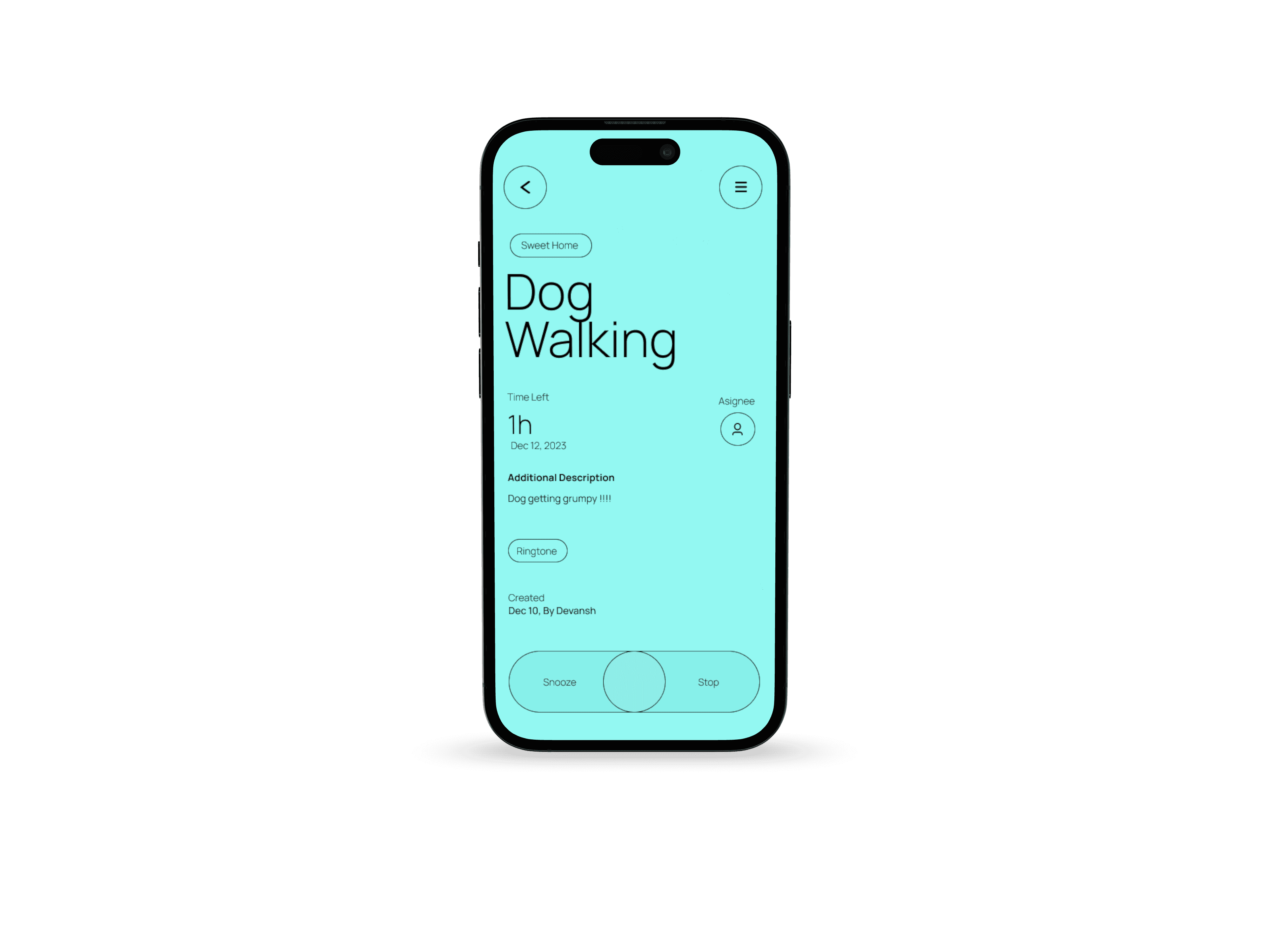
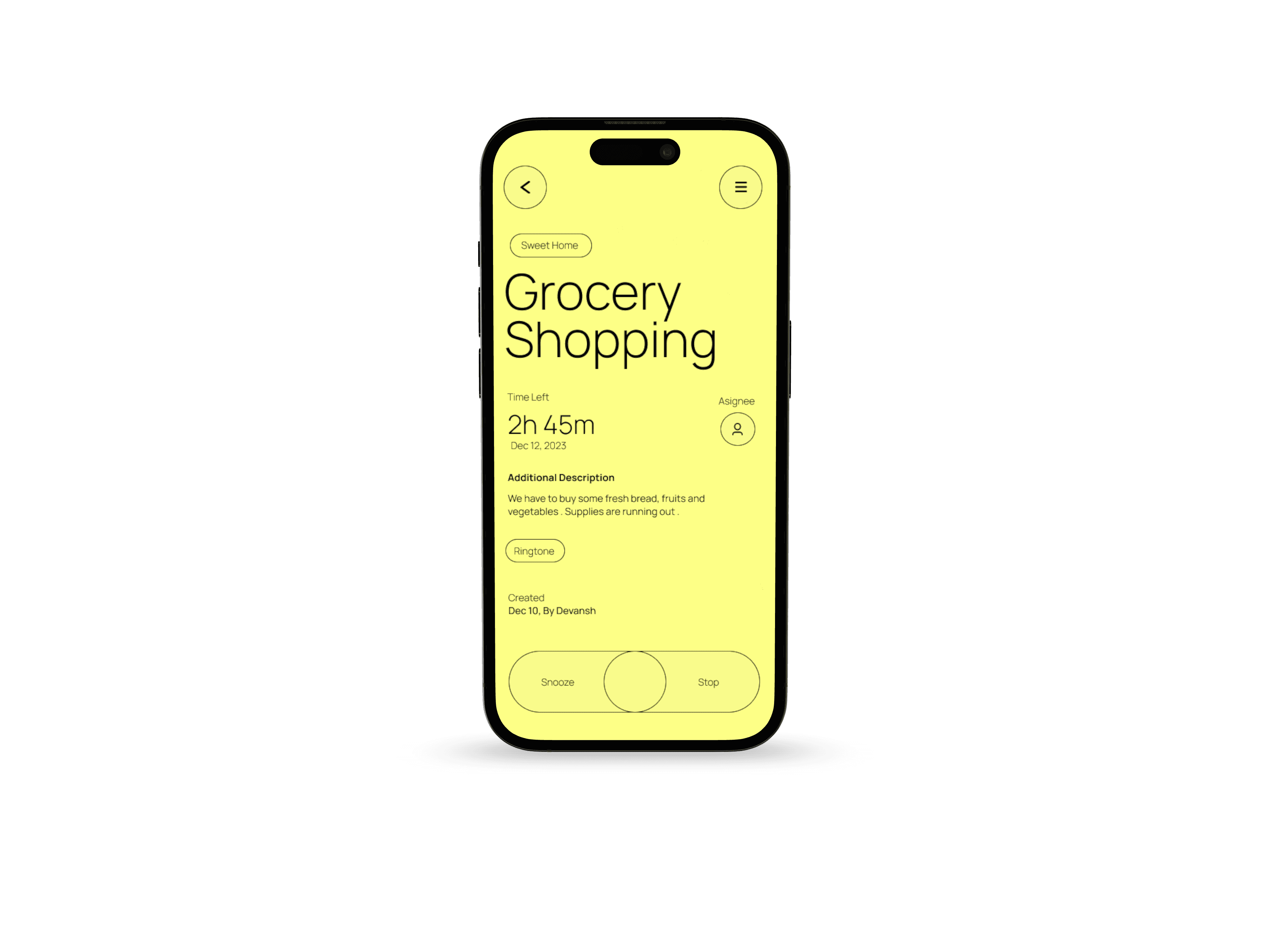
Replaced the "Set as Done" slider with "Snooze" and "Stop" buttons based on user feedback, enhancing ease of use and providing clearer action options.
Fonts weight from medium to light.
Decreased the transparency of the background colors for all screen, cause the colors are to intense on the eyes.
07/HOW I TRANSFORMED INSIGHTS INTO SOLUTIONS
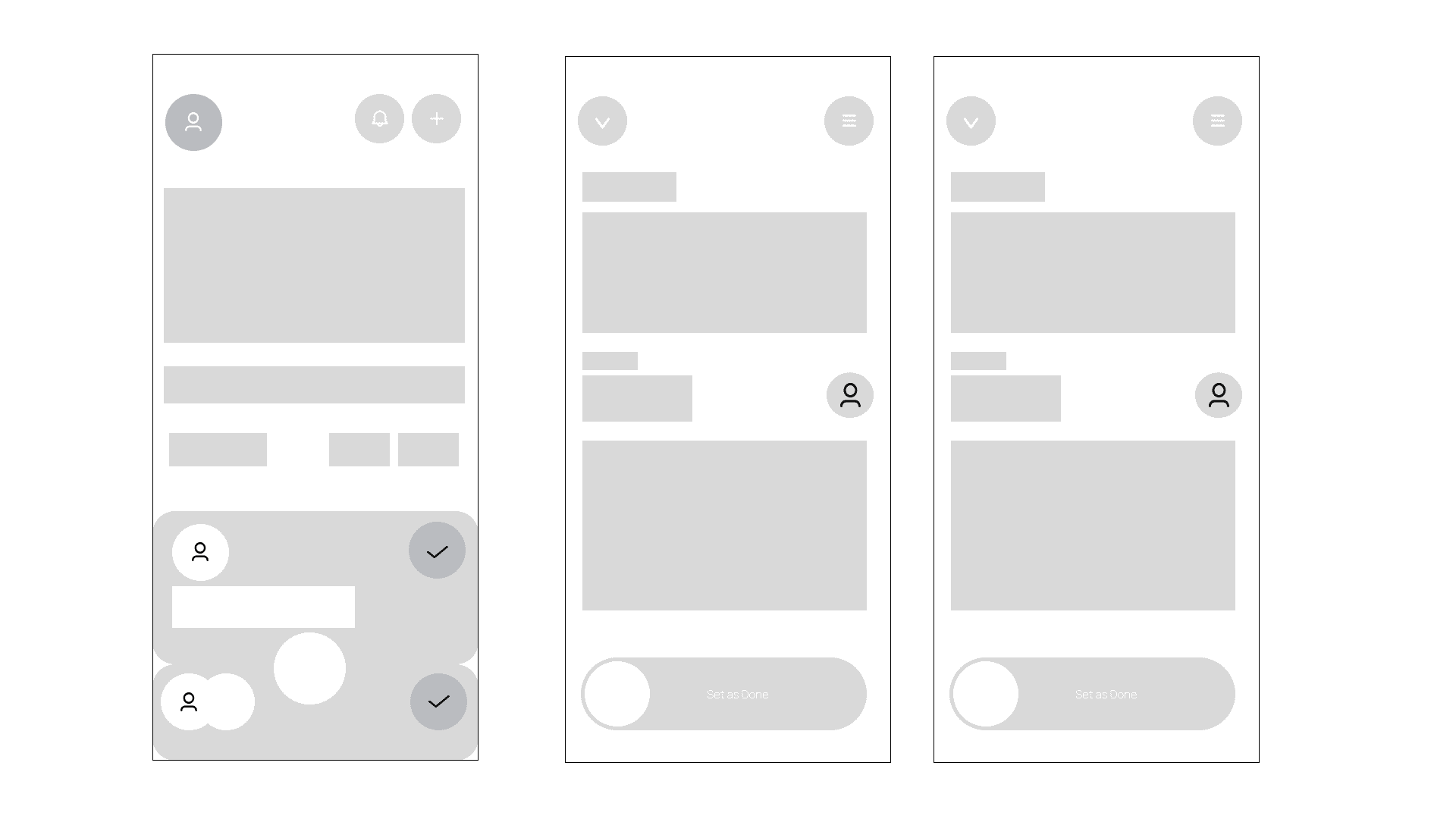
WIREFRAME - MAINTAINING VISUAL CONSISTENCY
Through experimentation, develop a simplified, inclusive, and scalable experience that will help users better navigate and share with confidence while setting up for faster design iterations, consistent components, and a language that drives trust with users.
01/OVERVIEW:
Taskflow, A task manager app, aims to provide a streamlined and intuitive solution for task management.
Offering a user-friendly interface that allows users to easily create, organize, and prioritize tasks.
My goal is to design an app with a singular focus – task management. It will be purpose-built to streamline and simplify the process of organizing and tracking task .
02/PROBLEM:
Traditional task management methods, such as paper to-do lists or basic digital tools, often lead to confusion, overlooked tasks, and missed deadlines. Users struggle to prioritize tasks, and track progress. Resulting in decreased productivity and increased stress levels. Existing task management apps lack a user-friendly interface, comprehensive features, and seamless integration across devices, limiting their effectiveness and user satisfaction.
12/PROJECT TAKEAWAY’S
List of key learnings from the Taskflow project:
Improved understanding of user-centric design for task management tools.
Prioritized intuitive navigation to minimize user friction.
Refined skills in iterative design through consistent feedback integration.
Enhanced technical proficiency with design tools for creating seamless user flows.
Strengthened ability to organize information hierarchies for easy accessibility.
Developed strategies to keep users engaged and productive in managing tasks.
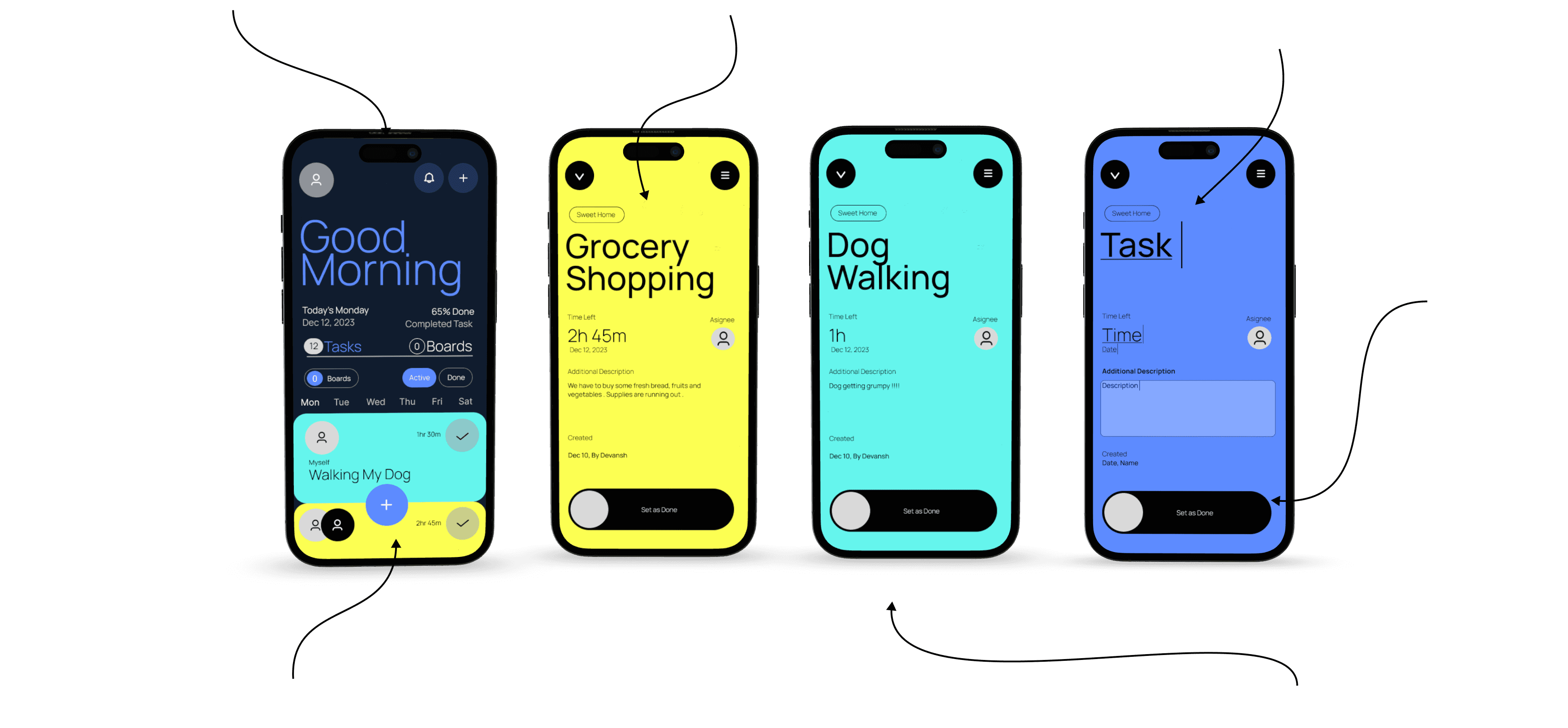
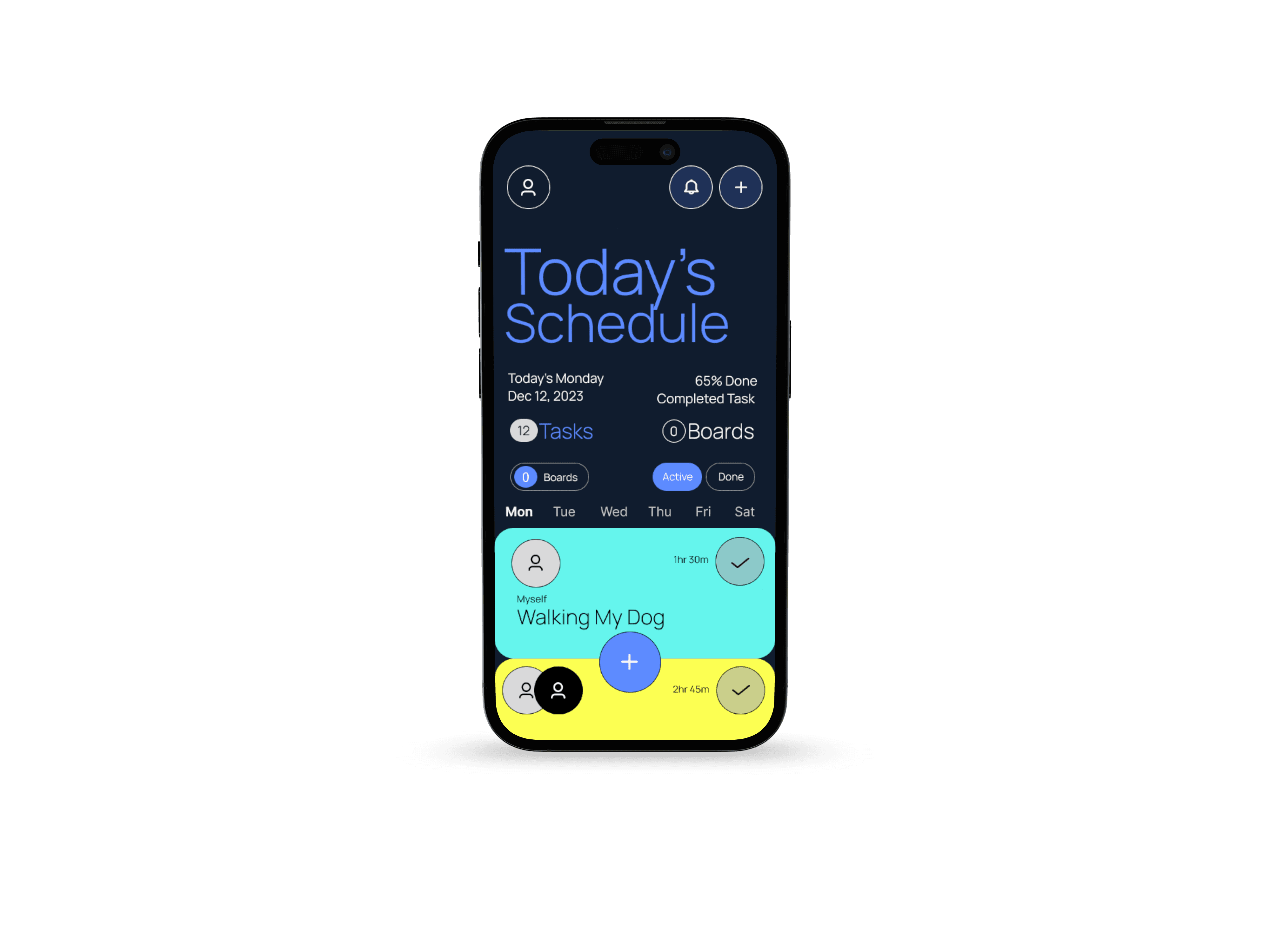
Minimalist user interface - The design seeks to create a seamless, distraction-free environment that enhances productivity while maintaining an aesthetically pleasing experience. The focus on minimalism helps users stay organized, reduces cognitive load, and streamlines task management, also mitigating the overwhelming interface pain point.
Each task is presented on a dedicated screen with distinct pastel backgrounds, making it easy to differentiate between tasks at a glance. The home screen displays tasks in an organized list, with options to filter by status (Active, Done) or categories. This allows users to manage tasks based on their progress or project grouping.
08/PRIORITISING ACCESSIBILITY TO ALL USERS - How I tried to solve the usability issues
The visual hierarchy in this design is crafted to guide the user's attention to the most critical information first, ensuring a seamless and intuitive experience
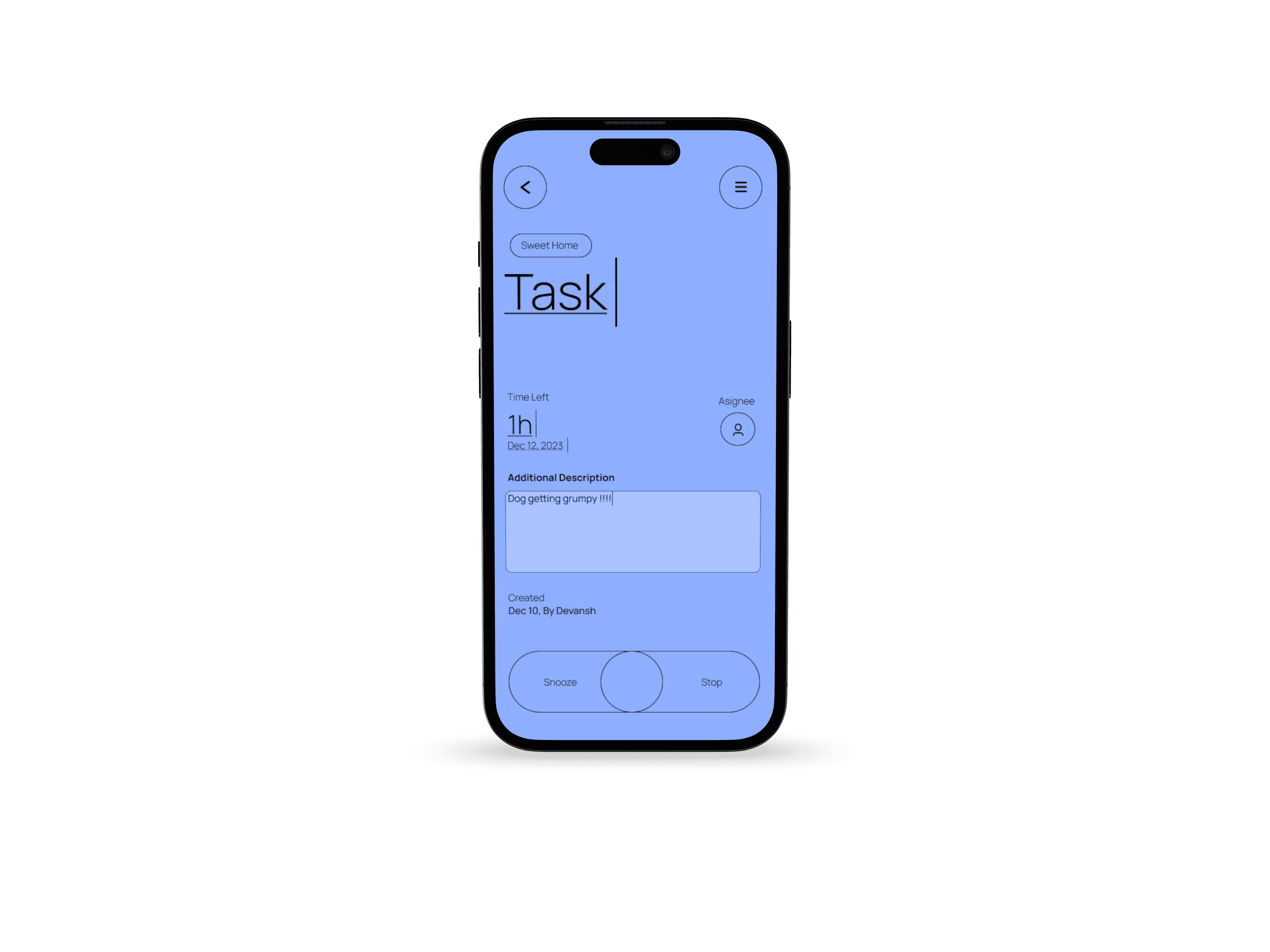
The idea behind adding the fourth screen was to help users add a task.
I came up with the solution of adding the task by typing the task on the screen by long pressing the section to add/edit the task. Addressing the usability issue - Difficult input task.
By using large, bold typography for task titles and important details, the design emphasizes priority actions and key data, reducing cognitive load. helping with visual hierarchy.
Ensured all design elements aligned with the brand’s visual identity, creating a cohesive and recognizable experience across the platform.
09/BRANDING AND CONSISTENCY
TYPOGRAPHY - PUBLIC SANS
The quick brown fox jumps over lazy dog
Heading - Bold
Title - Medium
Body - Light
Font Size: 24px
Font Size: 20px
Font Size: 16px
HEX: #101C2E
HEX: #5D8BFF
HEX: #65F5ED
HEX: #FCFF52
The use of vibrant background colors enhances visual memory, making it easier for users to recall tasks. By associating a task with a specific background color during input, users can quickly recognize and remember it when the color reappears.
Consistent placement of buttons and icons creates a predictable flow, encouraging smooth navigation. This structured hierarchy not only enhances readability but also drives user efficiency by minimizing distractions and focusing attention where it’s needed most.
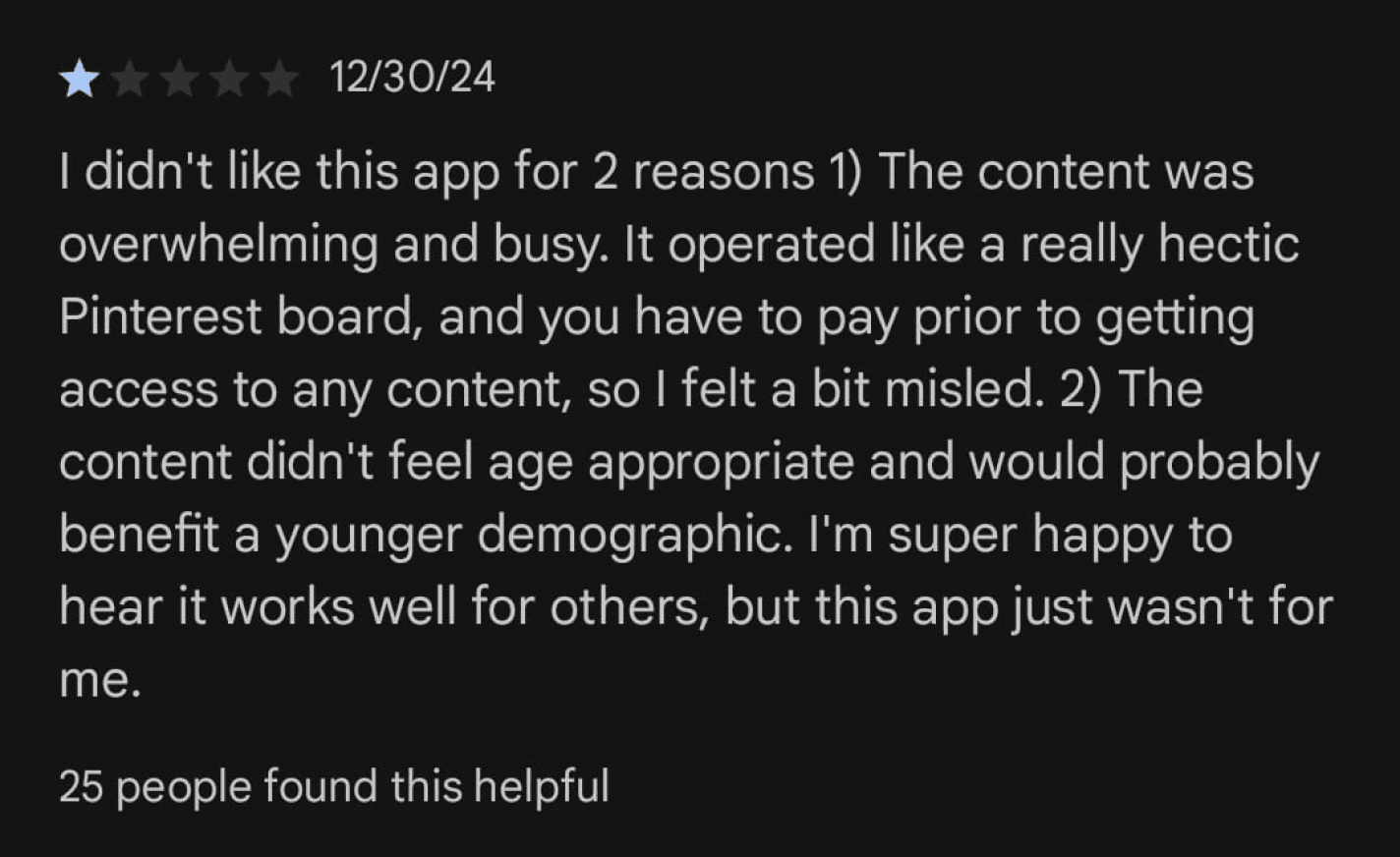
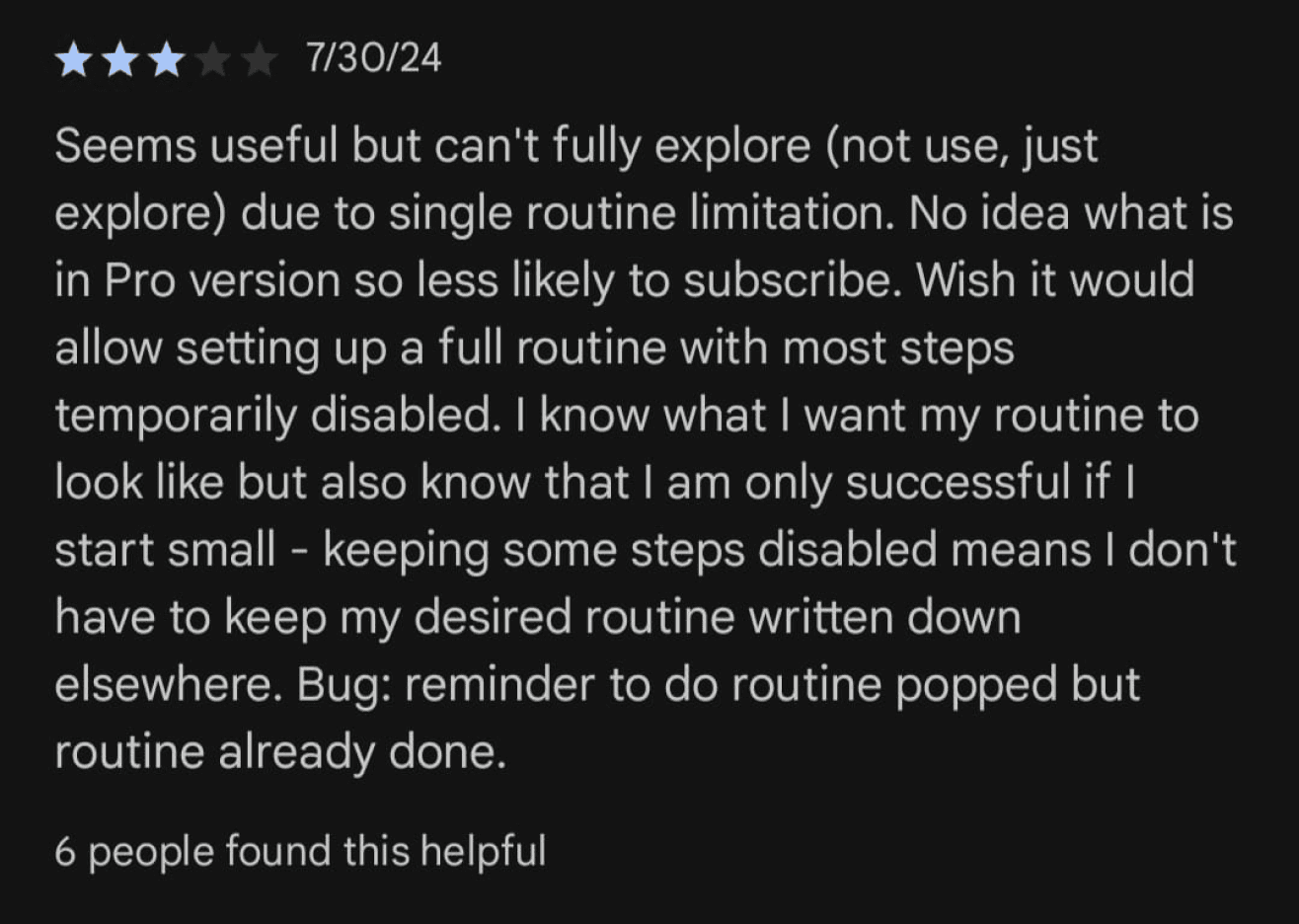
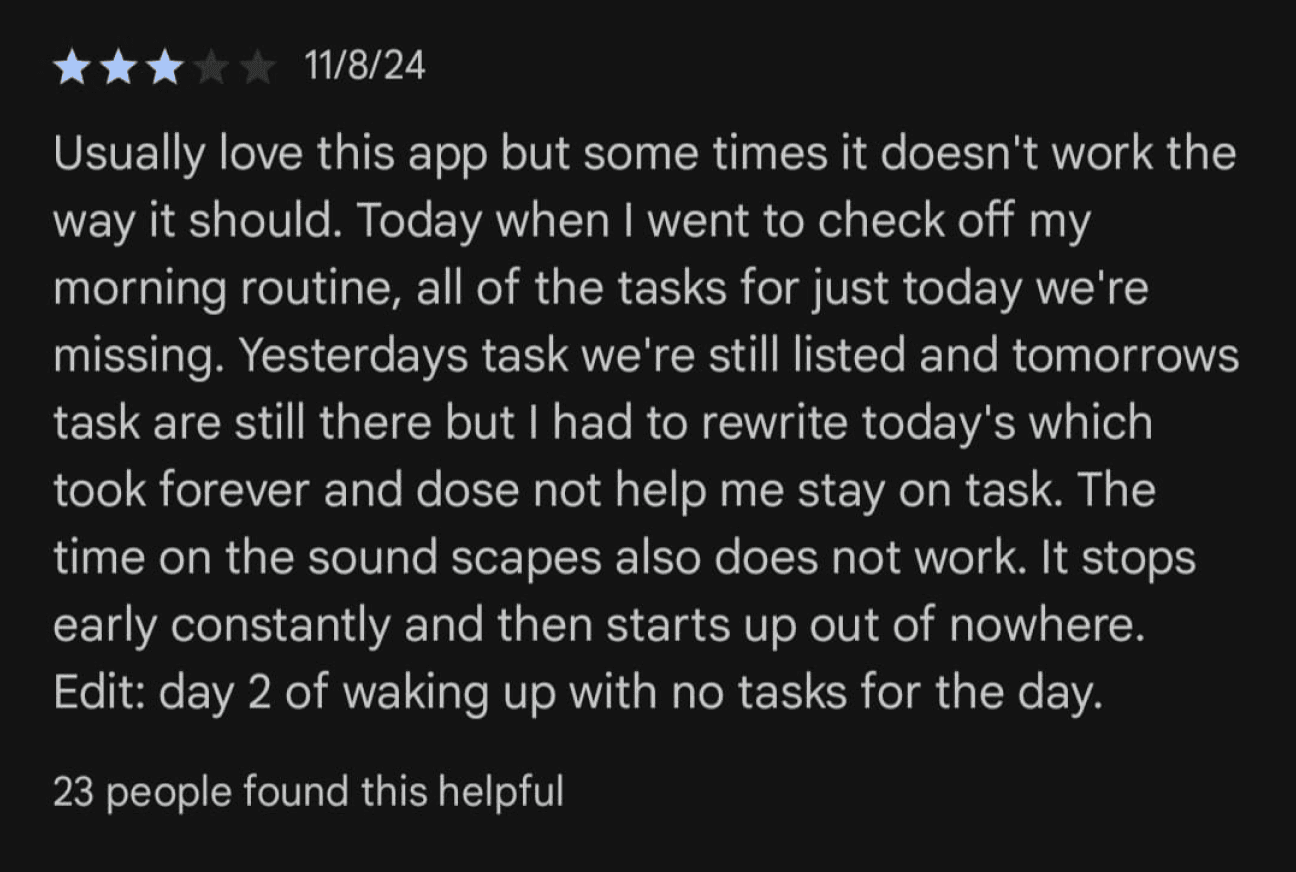
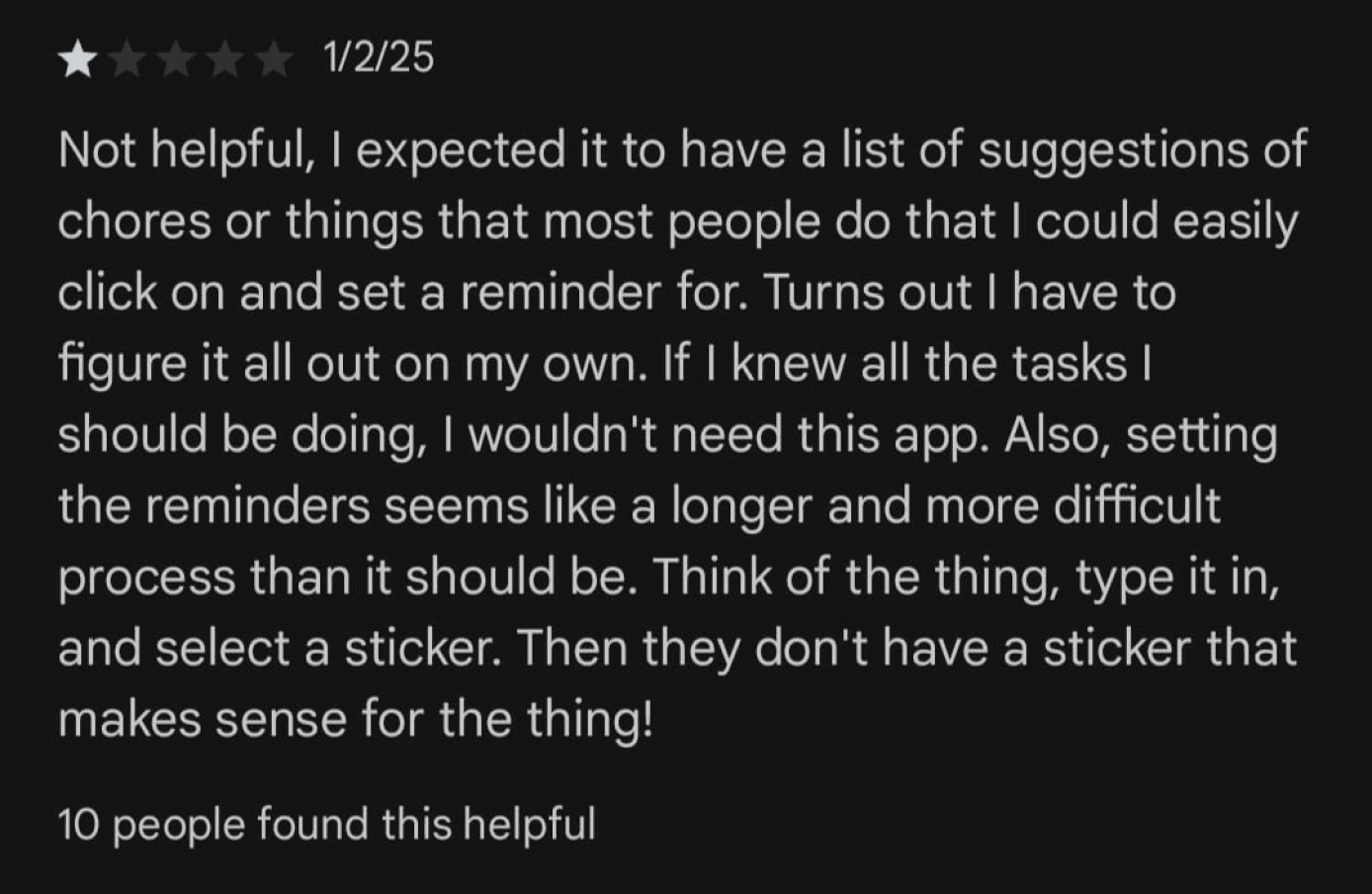
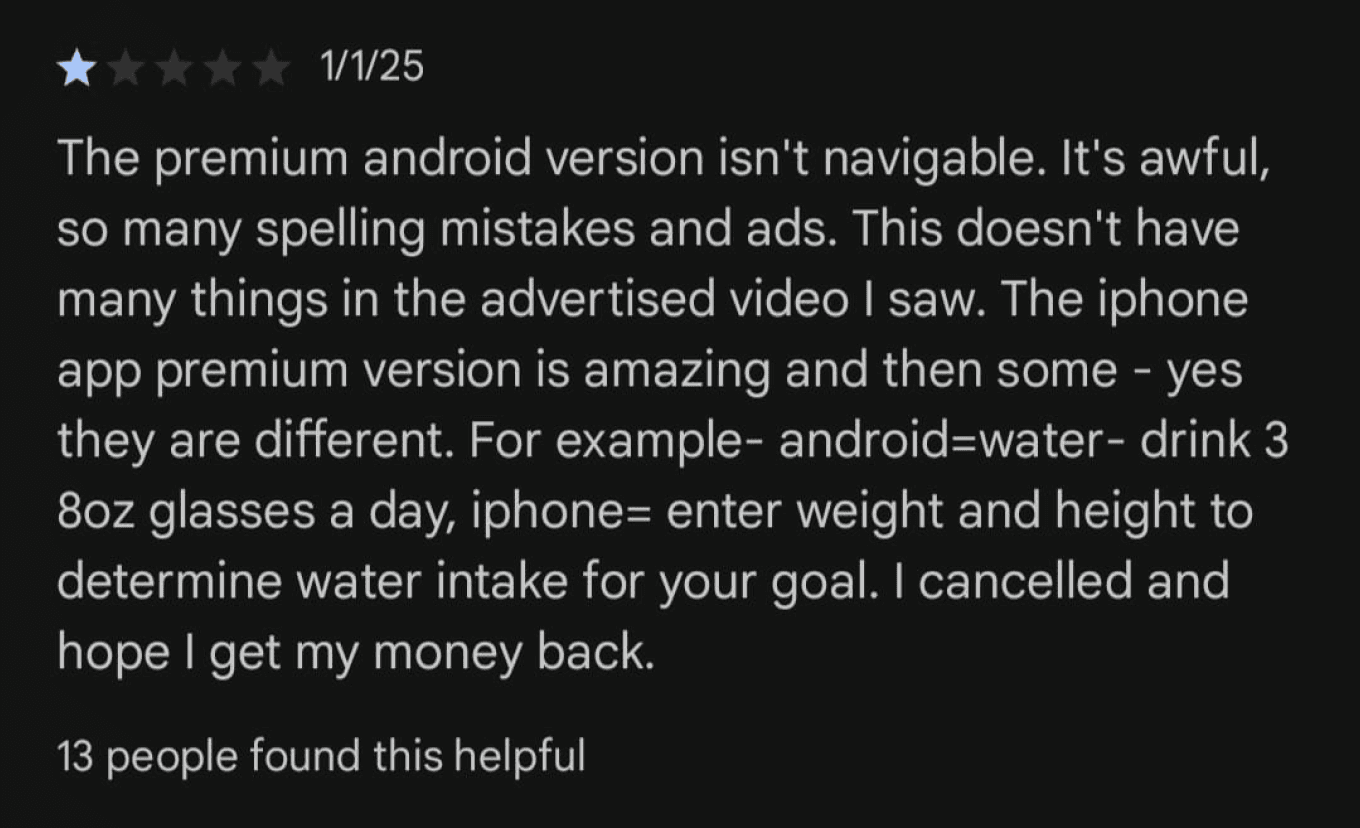
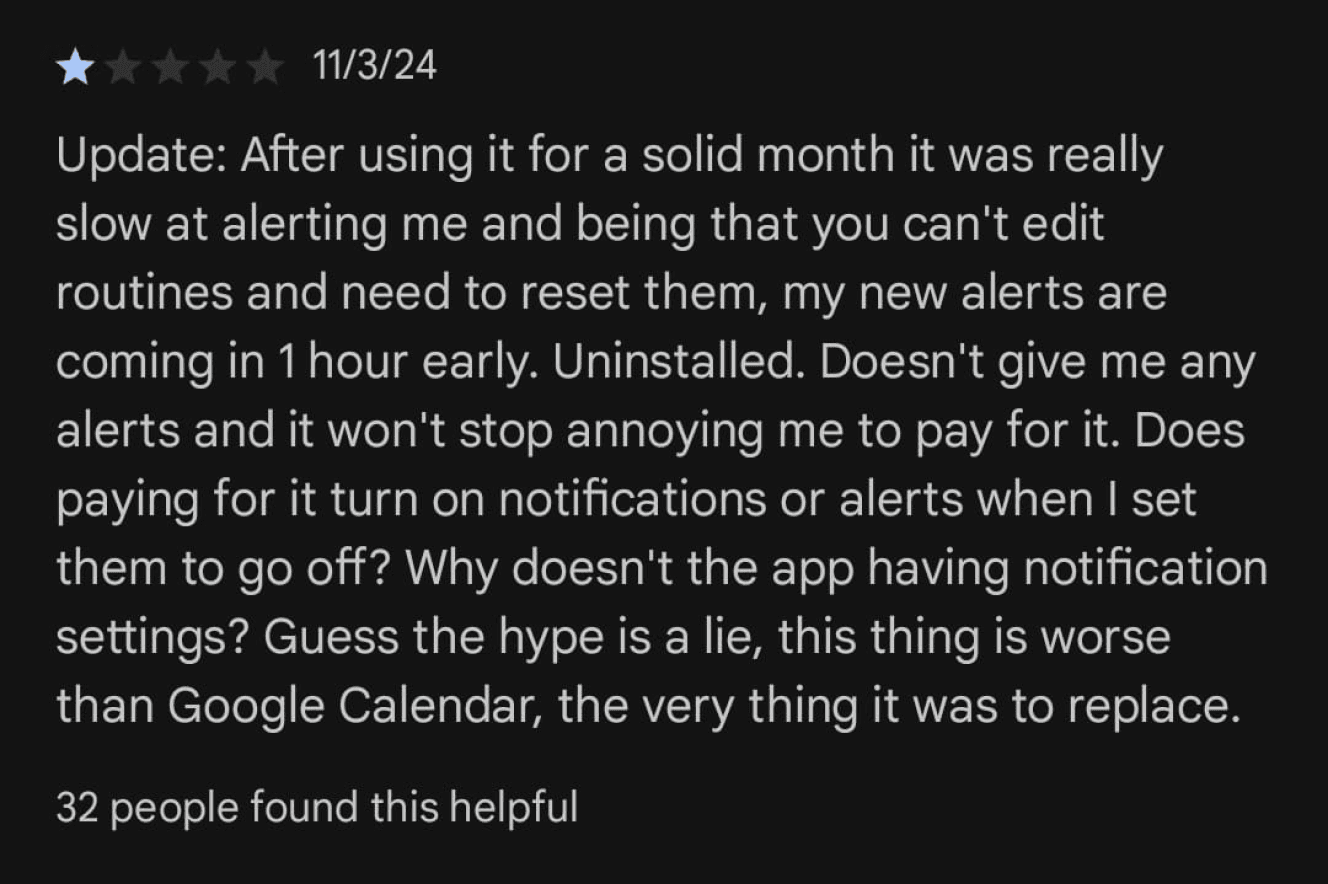
04/IDENTIFYING BARRIERS - Narrowing issues from users perspective for similar applications
05/GAME PLAN
What I have in mind is to design an app, that does exactly what it is mean’t for which is managing daily task. Instead of adding multiple feature(Confusing users), I intent to design an minimal experience that mitigates the above pain points and most important easy to use even for old people that are new to tech.
06/KEY USABILITY ISSUES
Overwhelming Interface
Users may find the interface cluttered with too many options, making it hard to navigate and find specific tasks.
UX Impact: Increases cognitive load and leads to frustration, particularly for users who are not tech-savvy or need to manage many tasks efficiently.
Poor Task Organization
The existing apps lack intuitive ways to categorize, filter, or prioritize tasks (e.g., by project, due date, or urgency).
UX Impact: Struggle to quickly locate important tasks or organize their workflow, reducing overall productivity..
Confusing Visual Hierarchy
Important elements like deadlines, priorities, or critical tasks might not stand out visually from less important ones.
UX Impact: Users may overlook high-priority tasks or miss deadlines due to the lack of clear visual cues.
Difficult Task Input
If the process of adding or editing tasks is cumbersome (e.g., too many required fields or poorly designed forms), users will spend too much time managing tasks instead of completing them.
UX Impact: This leads to a frustrating user experience where task management becomes an obstacle rather than a helpful tool.