01/OVERVIEW - What is this all about
This is not just a networking group, Freeway is amplifying and aggregating events, tech jobs, investments, and more within phoenix startup ecosystem.
Their mission is to make phoenix the most accessible large market startup ecosystem in the country.
02/SUMMARY - What was delivered and how
WHAT WE DID
-Competitive analysis
-User Interface design
-User Experience Solution
-Wireframing
-Web Design
SERVICES:
-End to End design
OUTCOMES:
Working on this was a whole new experience altogether, it was not a typical UX project and the end solution was also not known.Since the direction was not identified, we struggled at the start but thanks to out team - we got in flow and could get through this project . We successfully redesign the entire website, making it more user centric, while helping users navigate better.
TEAM
-me(Devansh Tank)
-Kalyan Sudhakar
-Cameron Weber
TOOLS
-Figma
-Relume
05/THE NEXT STEP - A deep understanding of the problem was the first step
Deciding what services to use
We were assigned to redesign the freewayPHX webpage, understanding what we have to solve, was the first challenge at hand.
Deciding what services to use
We were assigned to redesign the freewayPHX webpage, understanding what we have to solve, was the first challenge at hand.
Looking at the industry
The Competitive analysis gave an insight into how other similar websites like “Calgary” have displayed their information. We began to identify how the differentiators were displaying data, because such websites are heavy on displaying information.
Finding the path
Situation was kind of ironic because we had to iterative and cut out complexity but had the same time could take a linear approach. We adapted Agile approach.
Getting everyone together:
Taking learnings from the Design Sprint methodology, we ran a series of mini-sessions to delve deeper into the problem. We took the time to dig even deeper first and focussed on mapping out the current experience and identifying what users want.
Starting to map
Getting everyone in the room at the same time meant we didn’t need endless meetings or calls. Gathering technical and design, experts all together meant we were all on the same page from the off.
06/DIVING DEEPER - An Agile design approach
Focussing on process
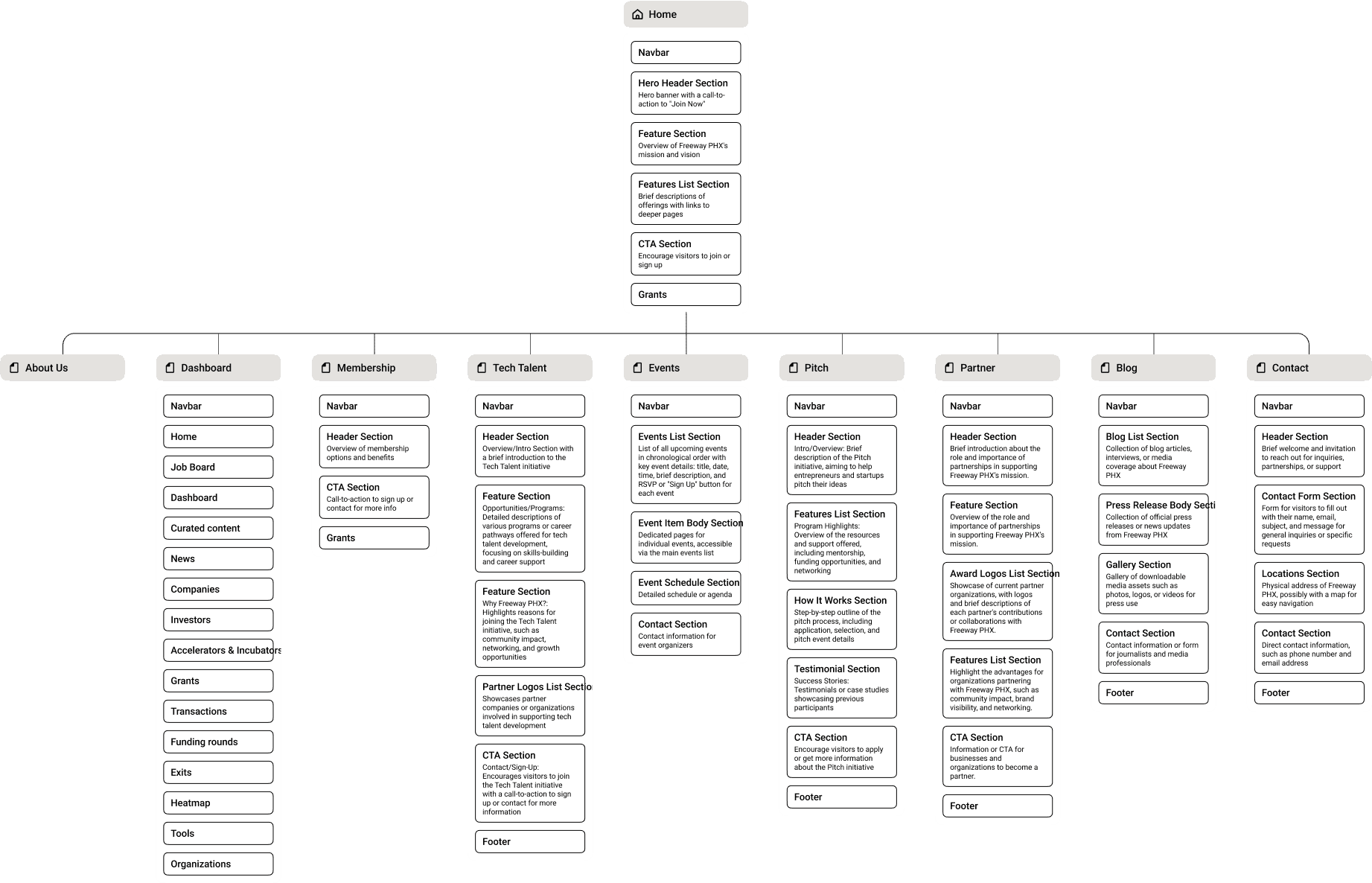
Core members of freewayPHX had a solution in mind, a flow that they already wanted to explore. At first glance, it seemed extensive and simple. We dug deeper and created a sitemap from the old design. The below image shows the flow of the website
Reimagining the process
We uncovered the complexity behind the flow and began to expand the map. This allowed us to hide this complexity from the user and provide them with a simple and easy to navigate website.
The challenge
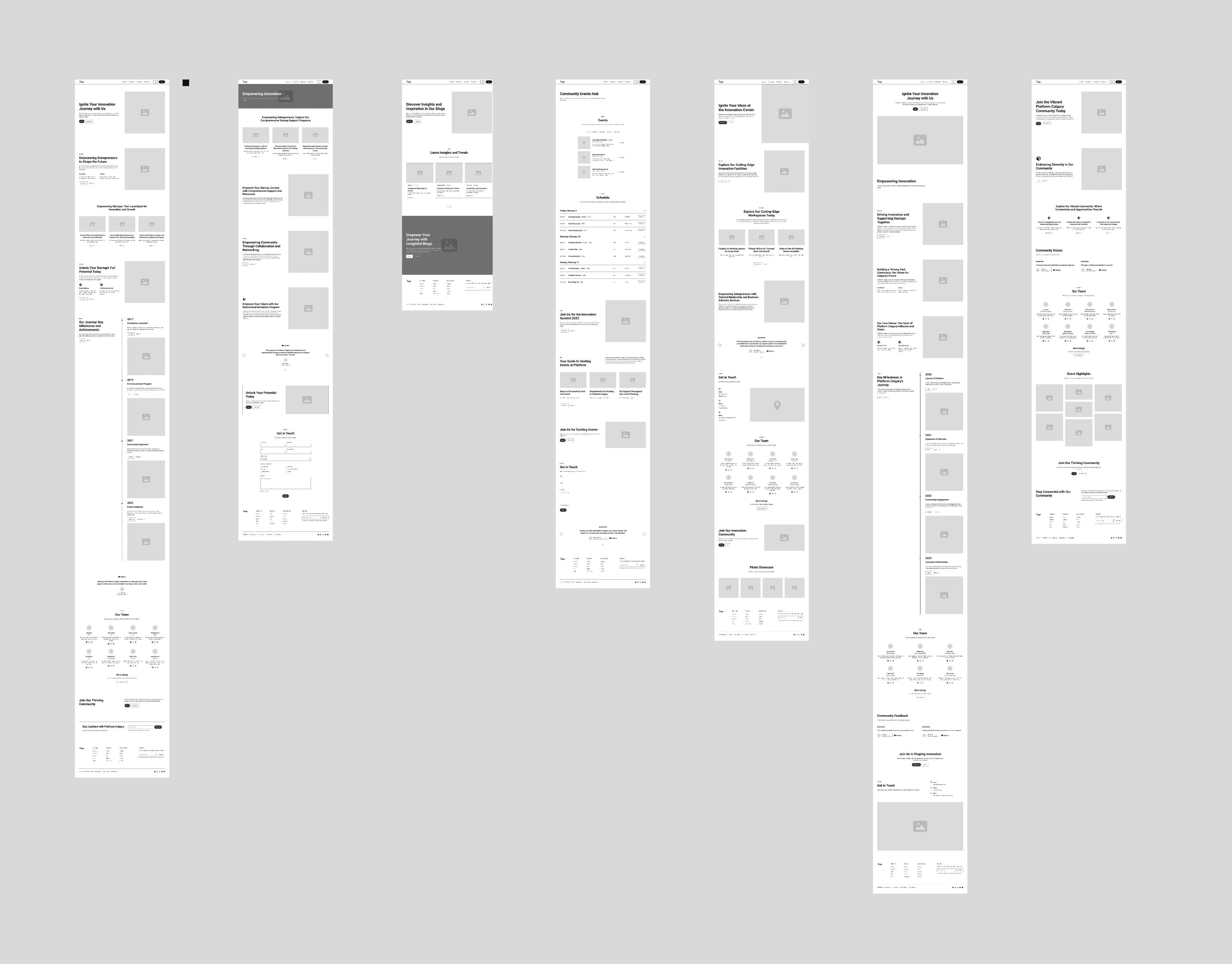
Creating the wireframes was the most challenging part and will continue to be, as it marks the first step toward developing the solution. The image below shows wireframes we came up with, which were further refined through iteration as the process progressed.
Ideating as a team
After taking time to design the study and agree on the direction with with all team members it was time to begin ideating.
We ran a session to explore potential ways to improve the existing design. We theorized about what users wanted and how to display content effectively, and from there began to sketch ways to make it more obvious. Many wireframes were generated out of the back of the group design sessions.
07/WIREFRAME - Iterations
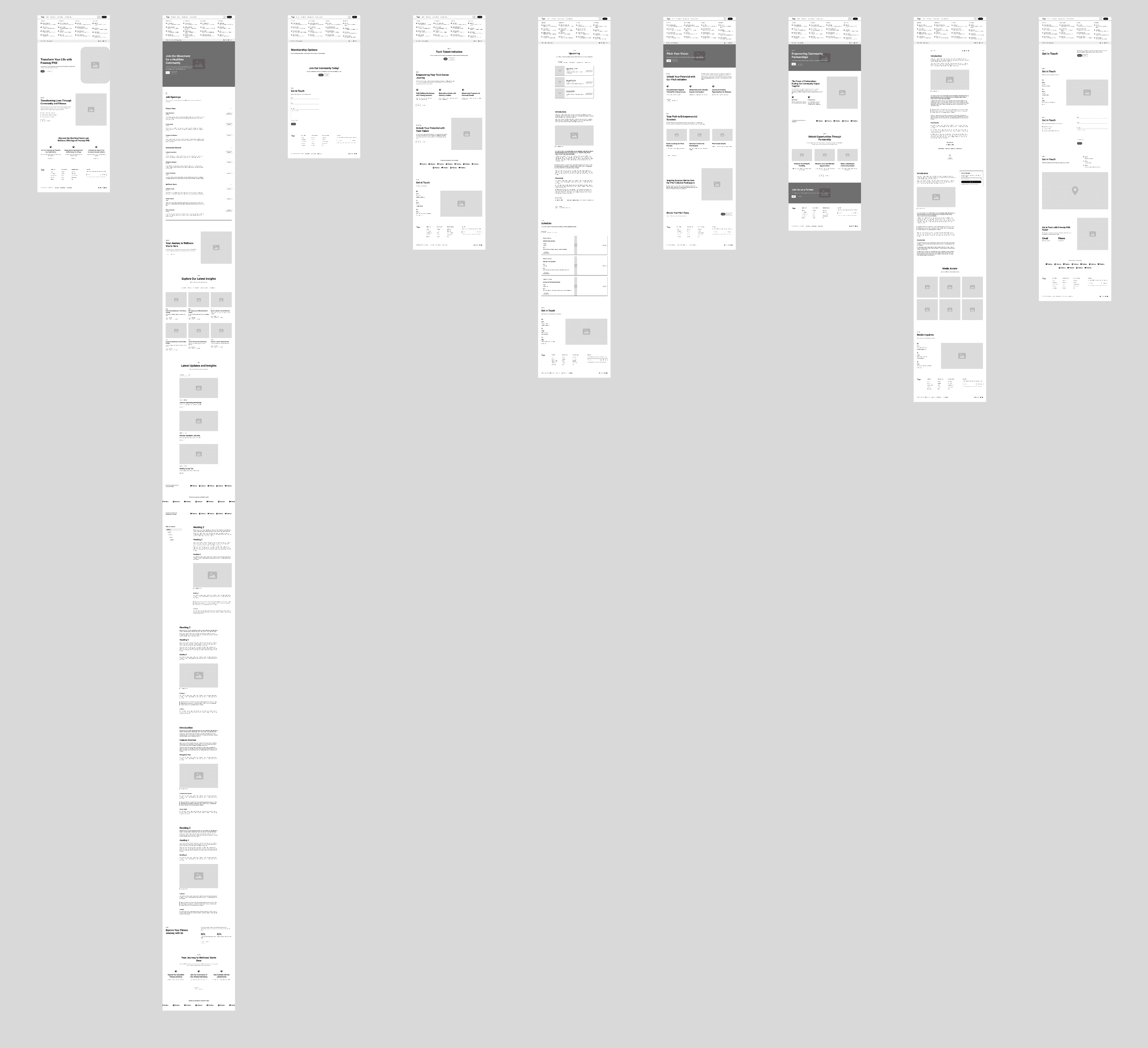
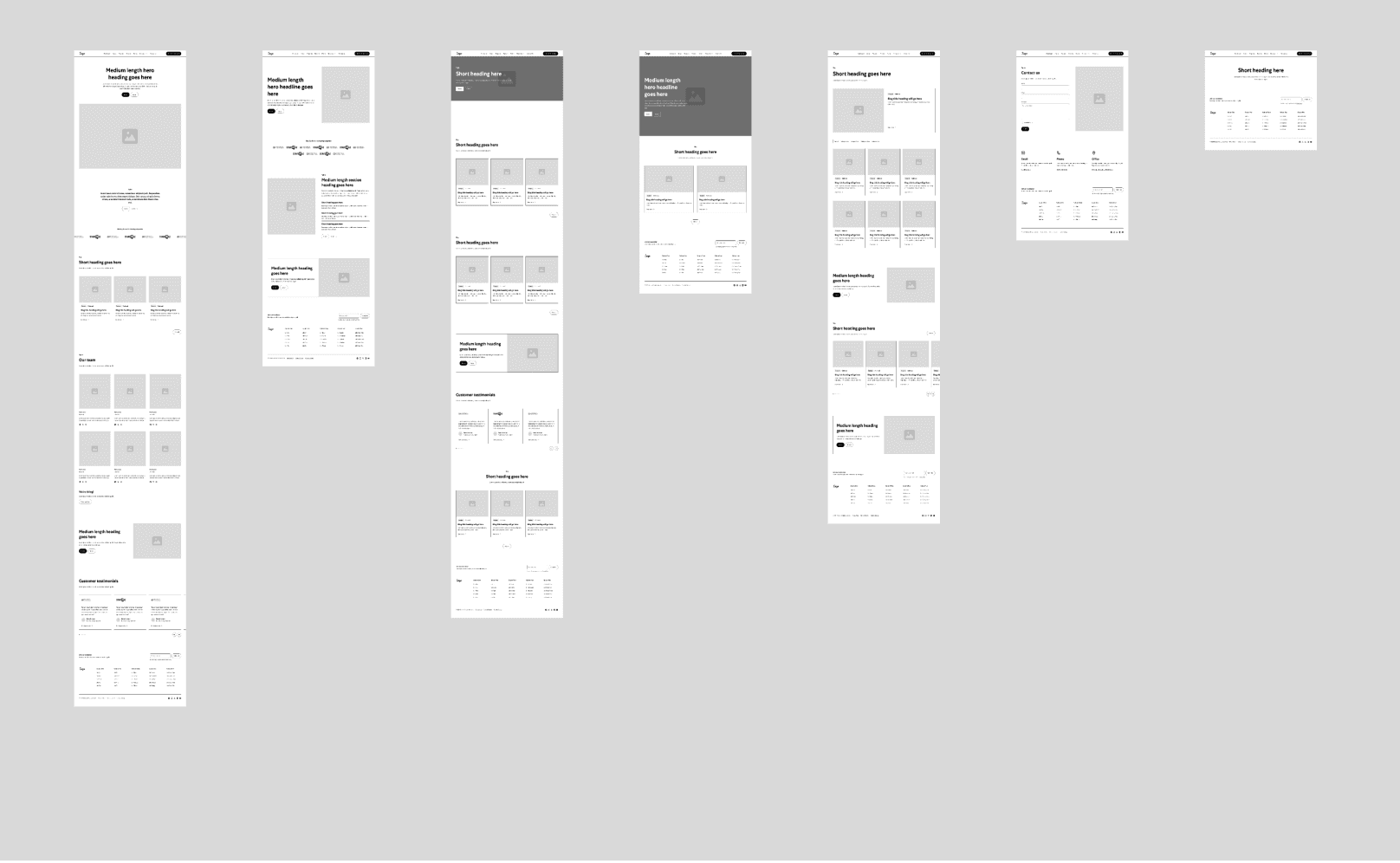
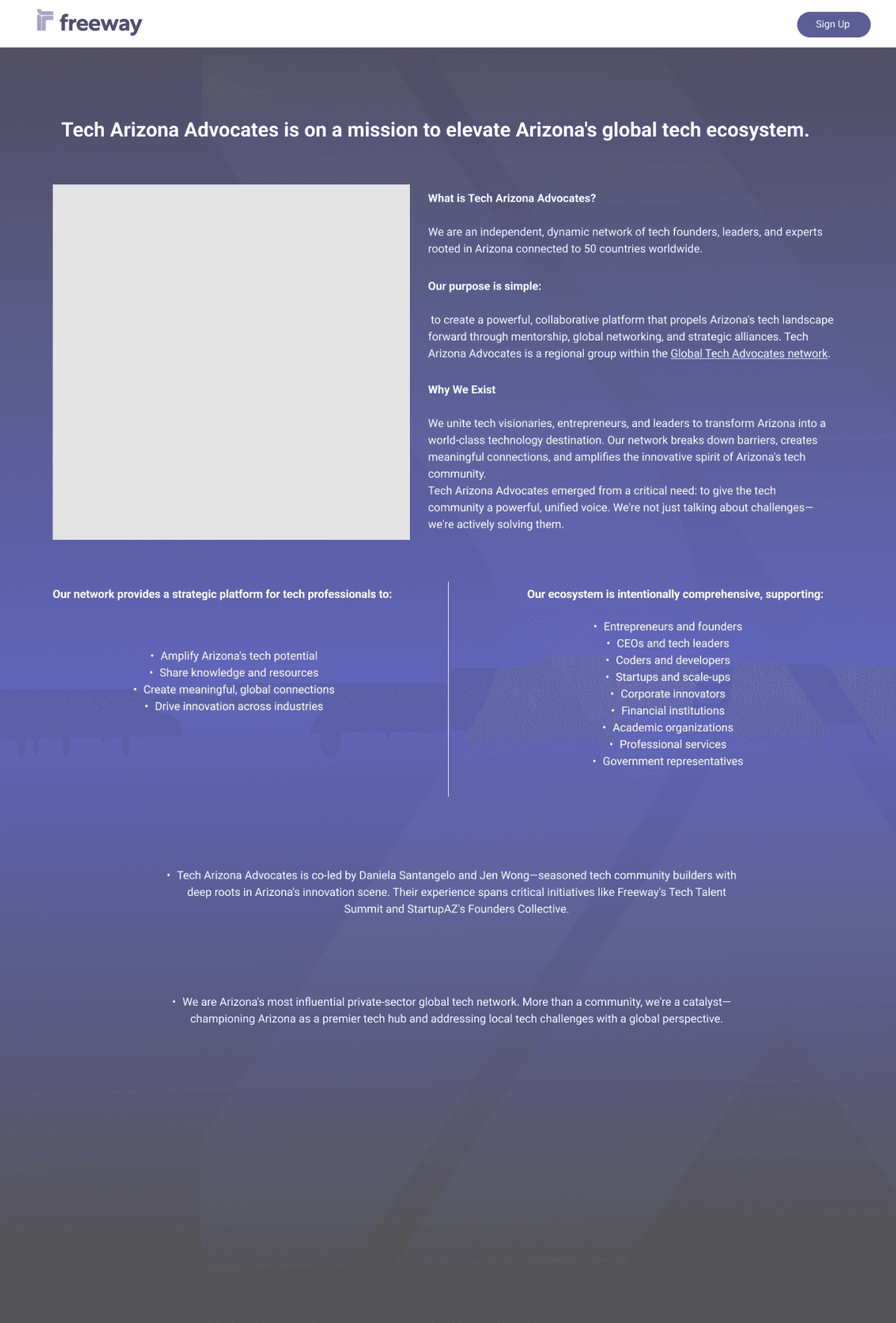
Founder of freewayPHX had a solution in mind, a flow that they already wanted to explore. At first glance, it seemed extensive and simple. We dug deeper and created a sitemap from the old design. we had to create design concepts according to these 7 pages - Home, Partners, Dashboard, News, Freeway X, About, and Events.
1
2
3
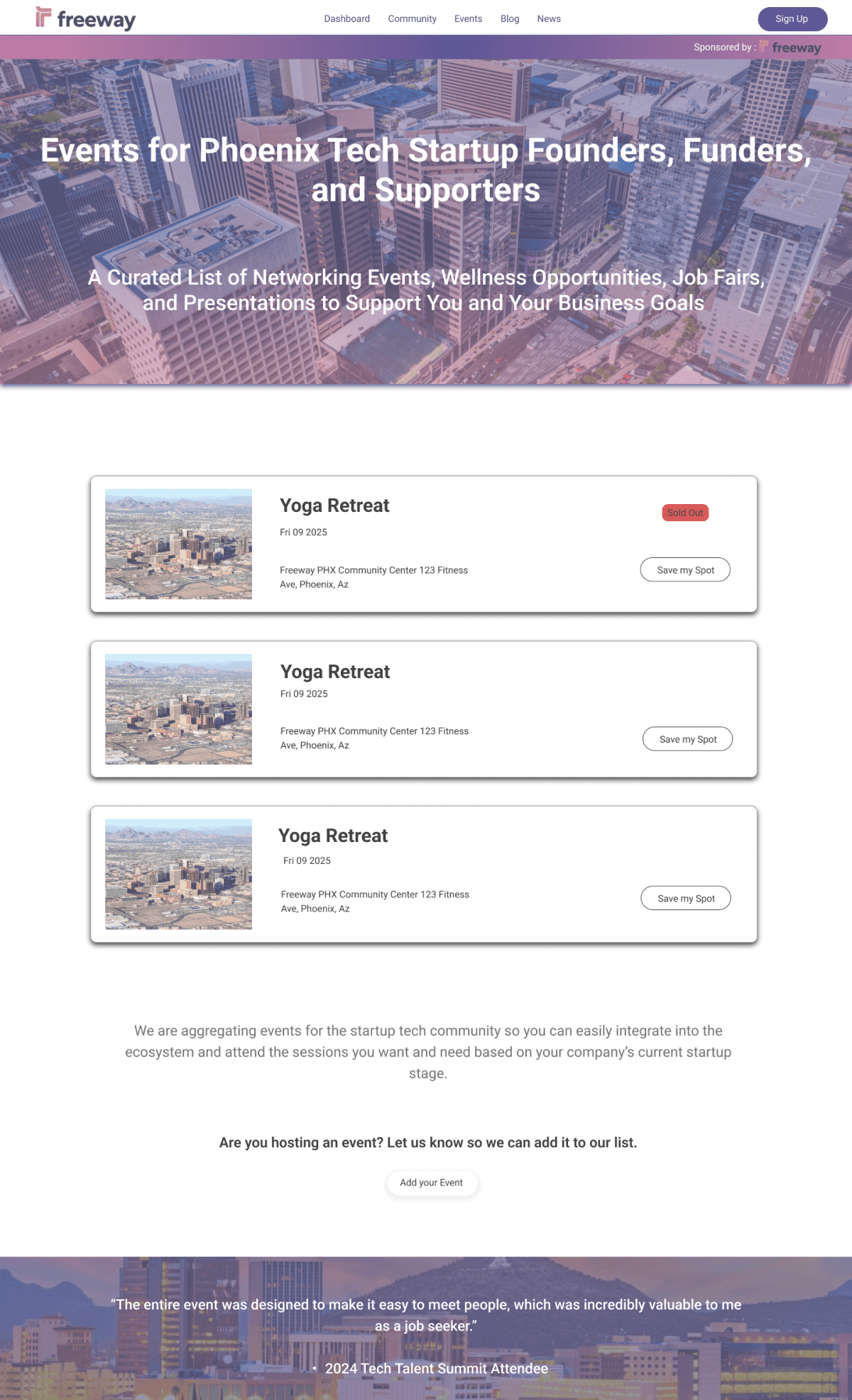
Each iteration explored different approaches to presenting information on each page. We decided to proceed with the third iteration as it met all the criteria for the website's content, offering clear navigation and an intuitive interface to enhance user experience.
08/HI-FIDELITY - Getting the design ready
Designing
We ran a session to explore potential ways to improve the existing design, theorized about what users wanted and how to display content effectively, and from there began to sketch ways to make it more obvious. Many design concepts were generated out of the back of the group design sessions.
The Main step
After spending considerable time researching best practice for the design, I began to develop ideas closely with the squad.
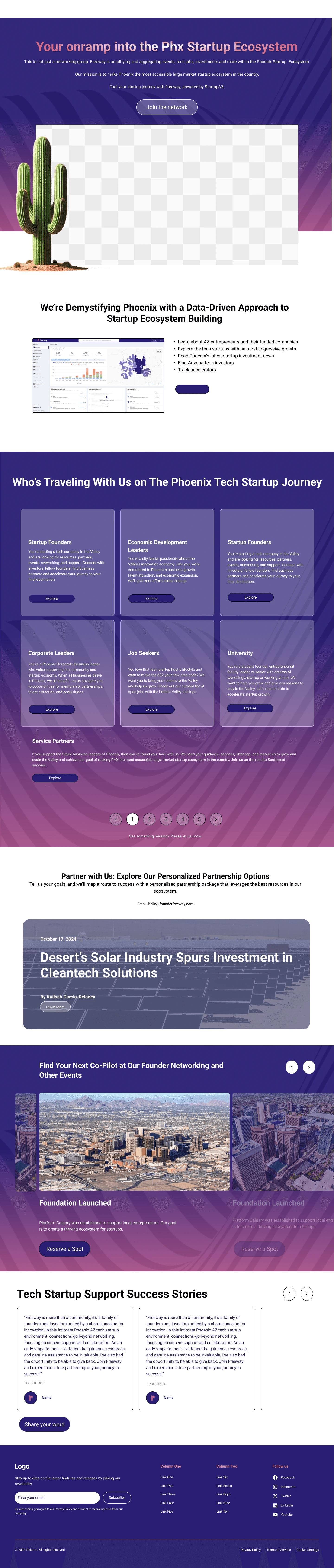
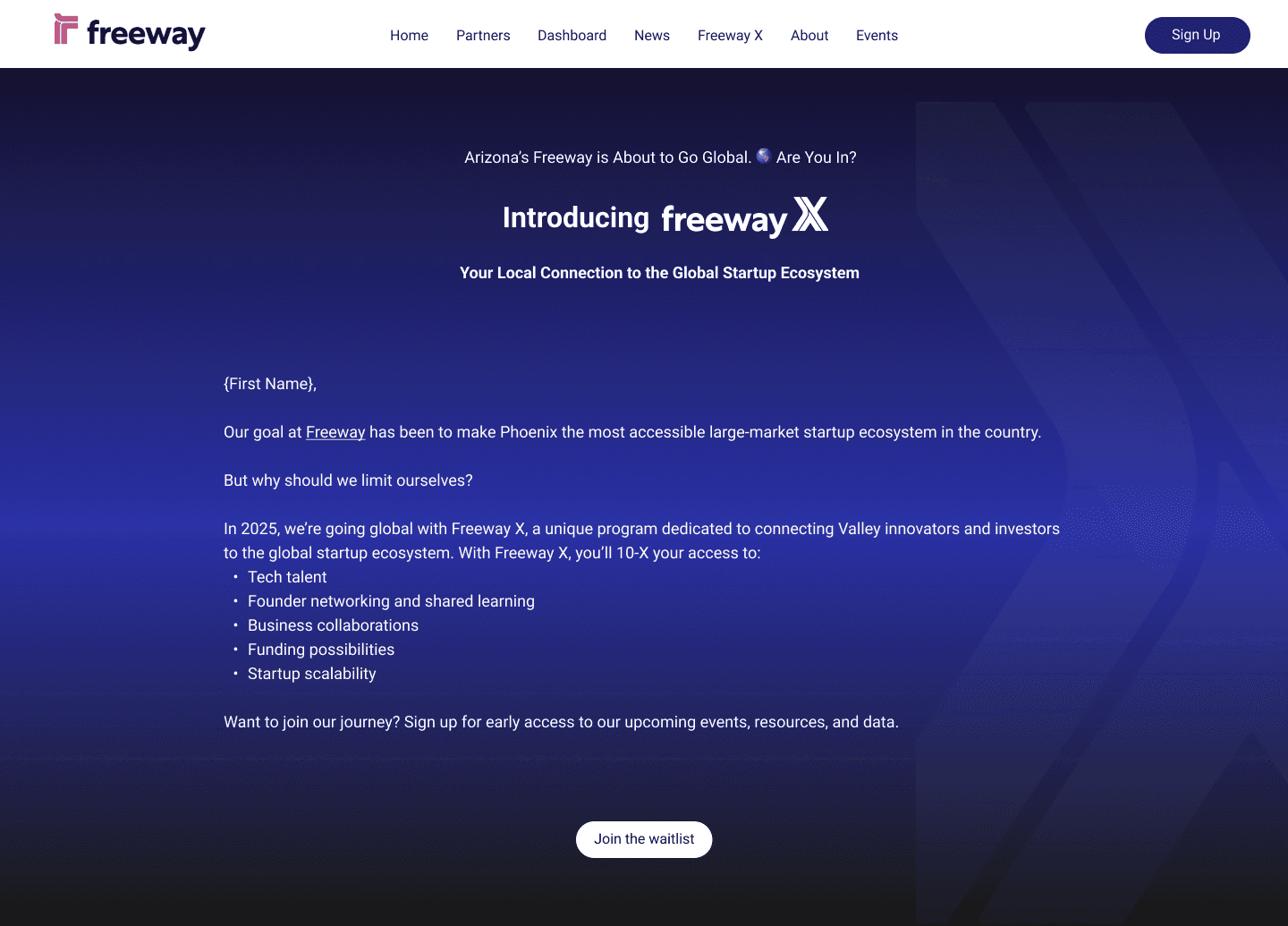
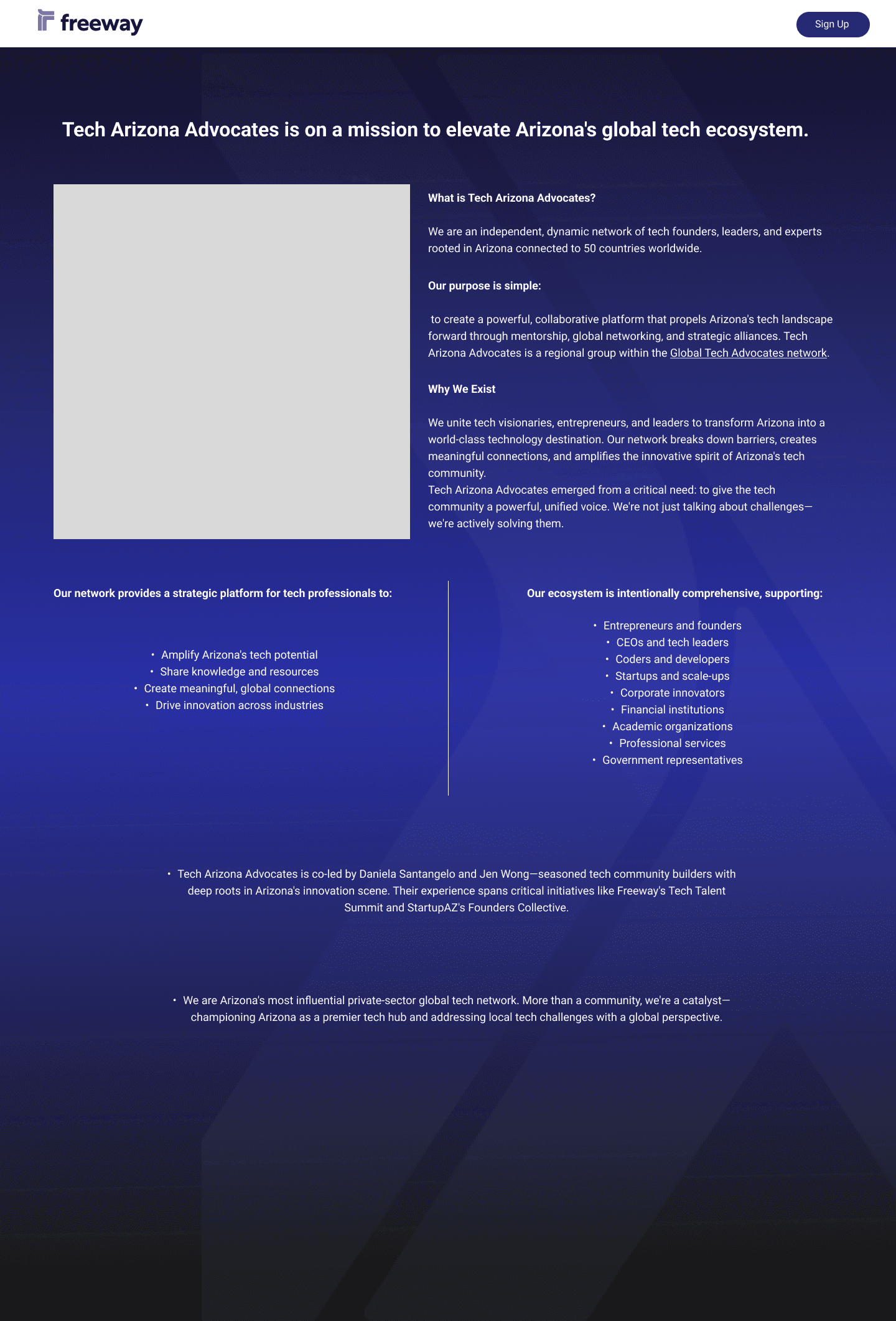
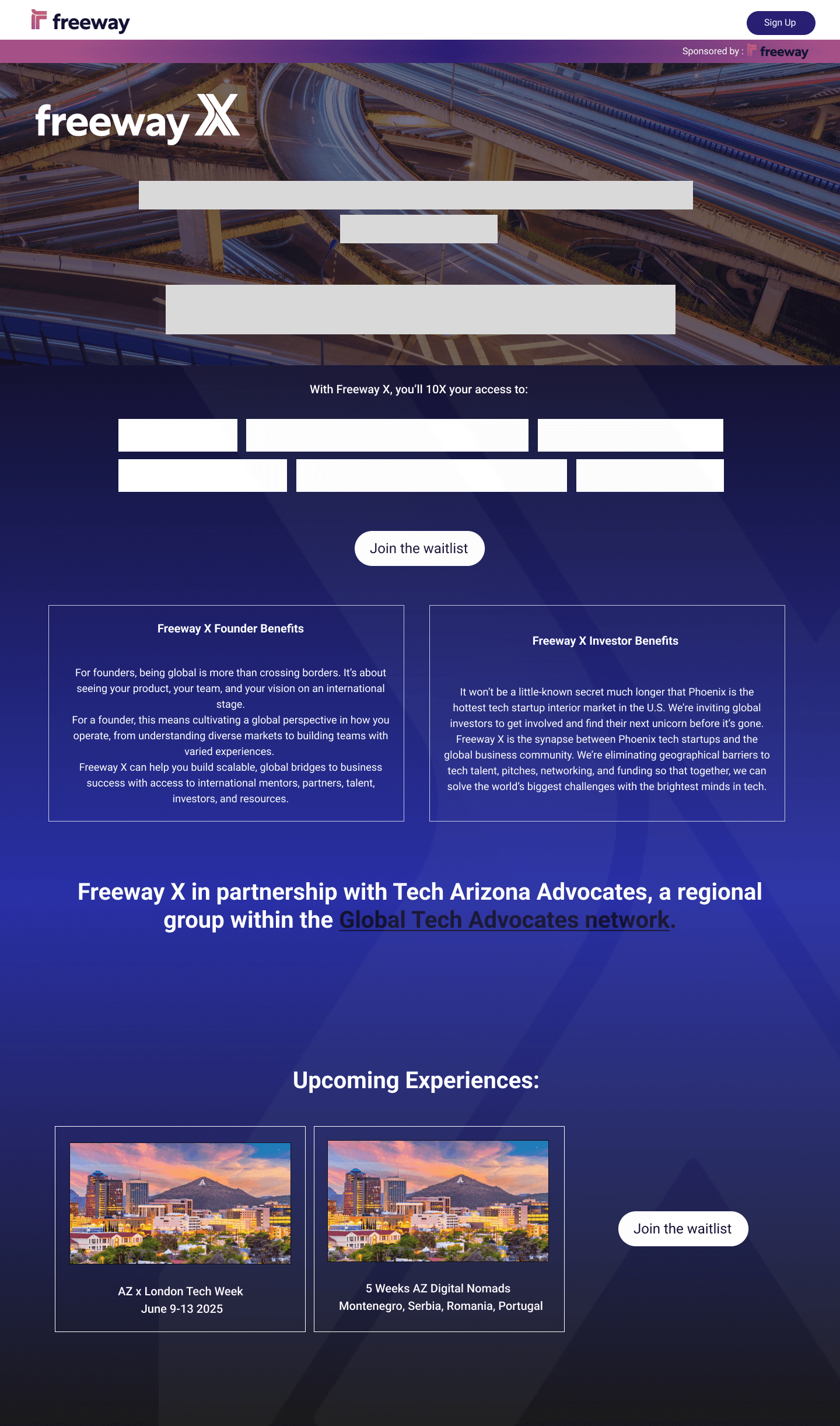
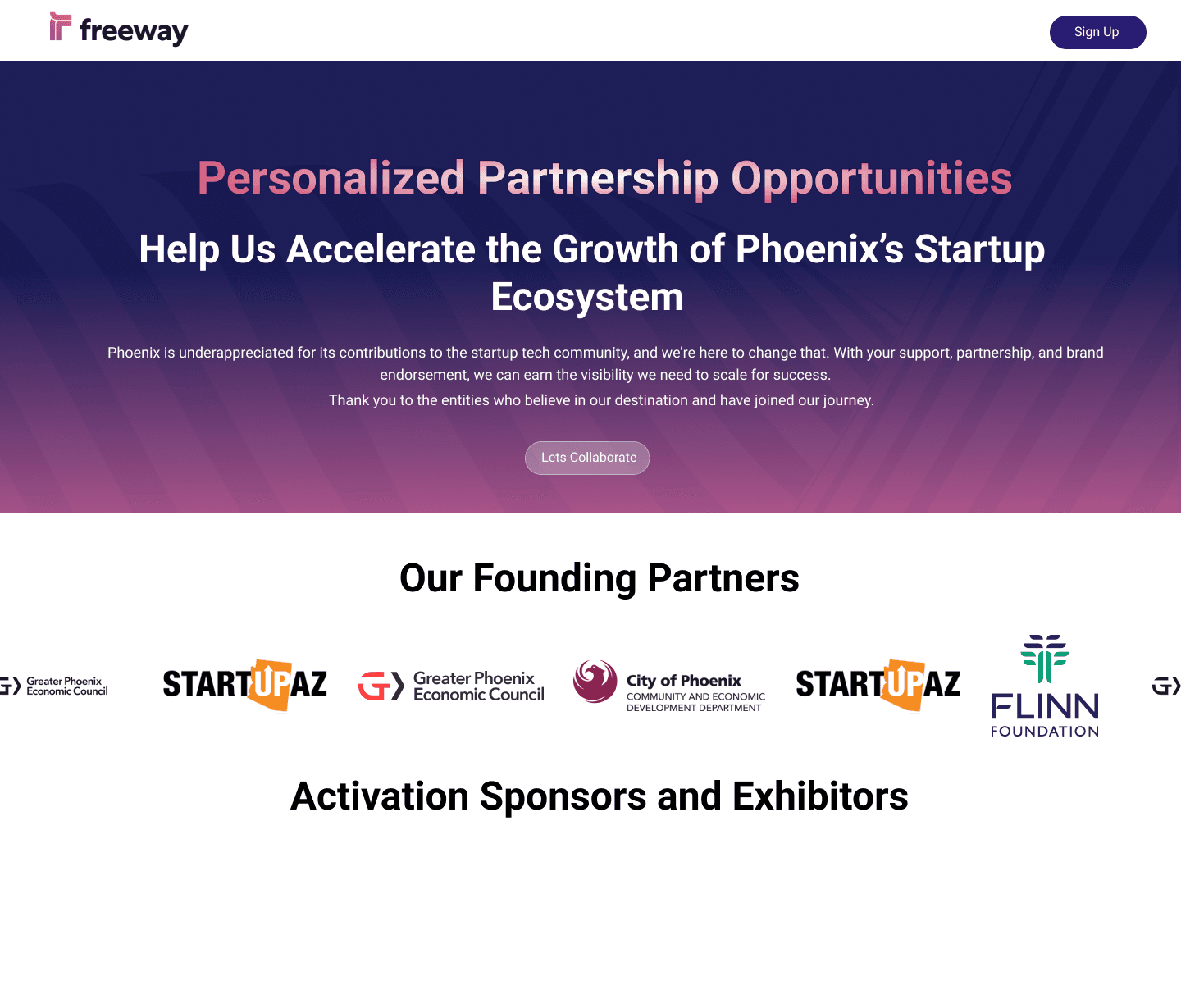
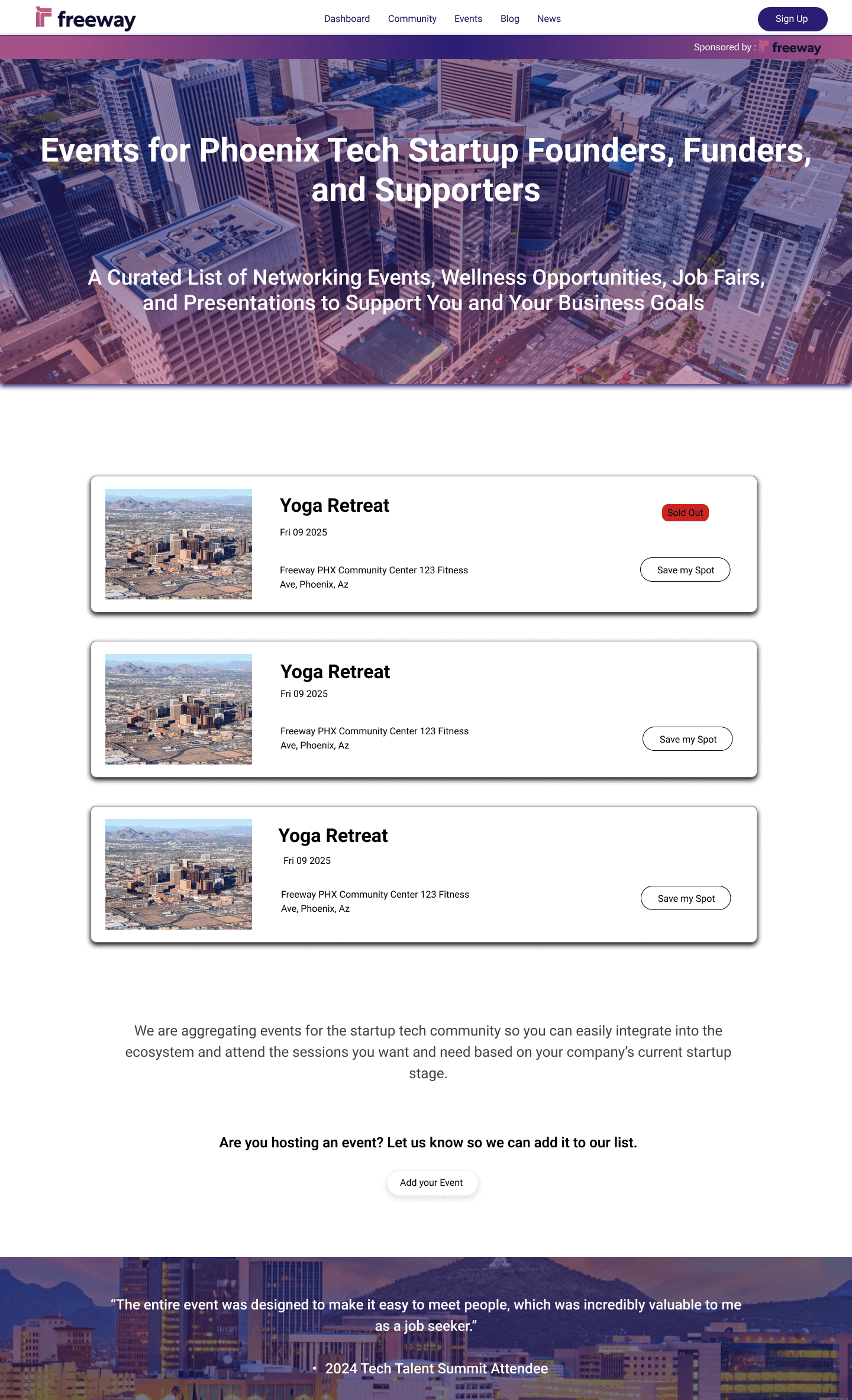
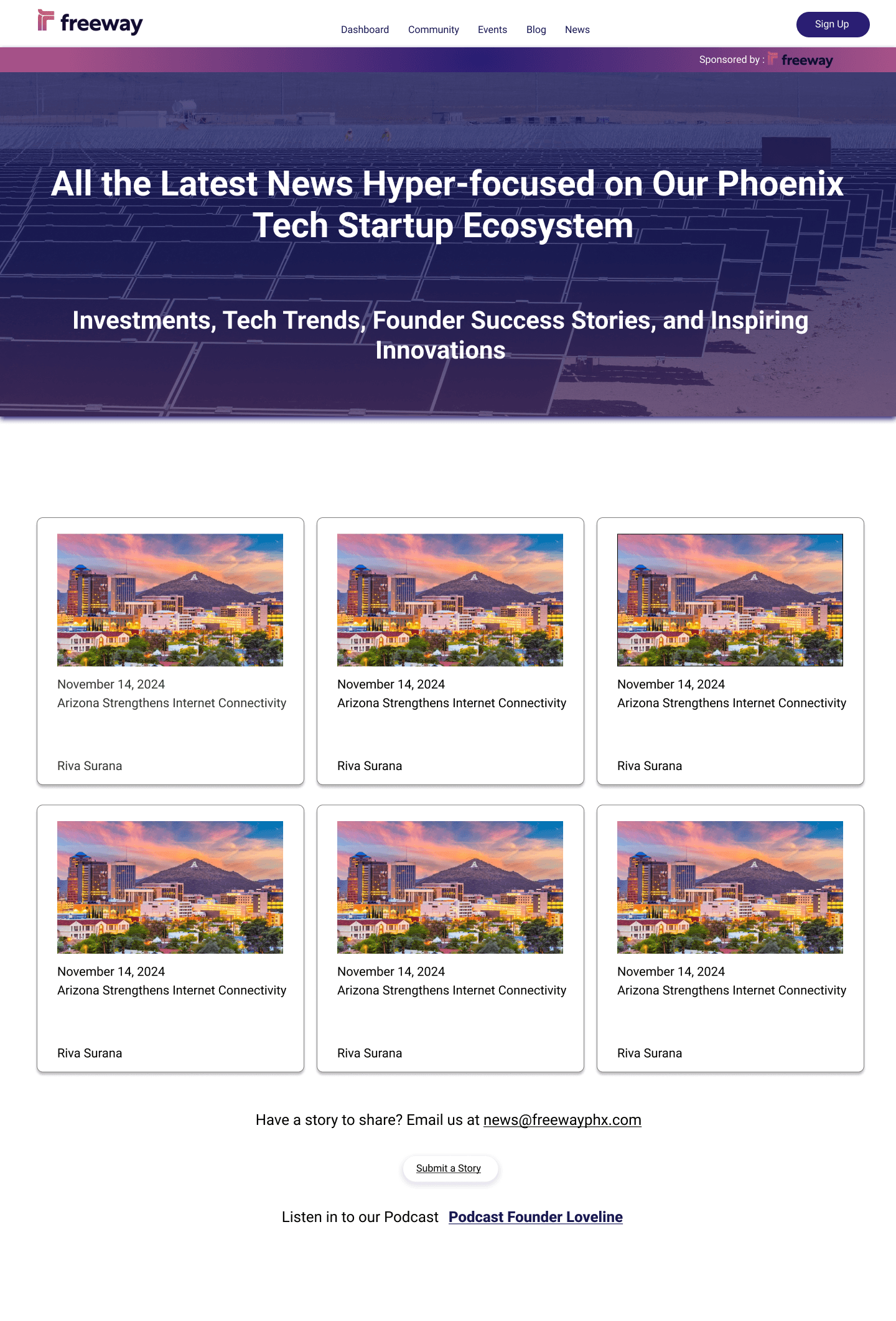
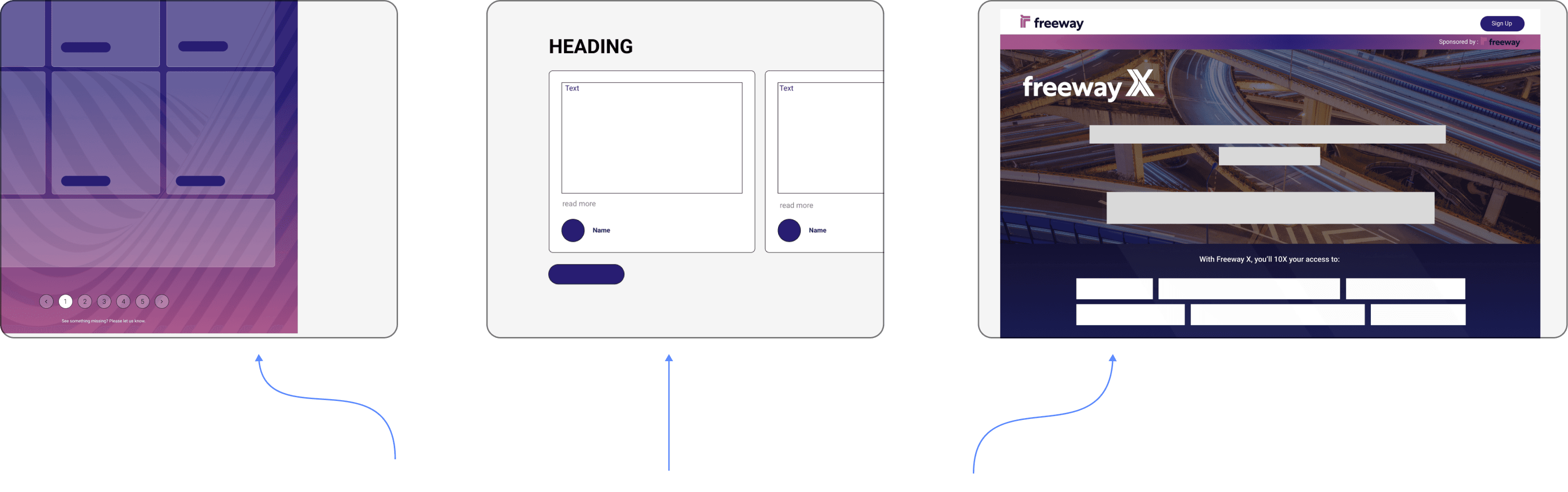
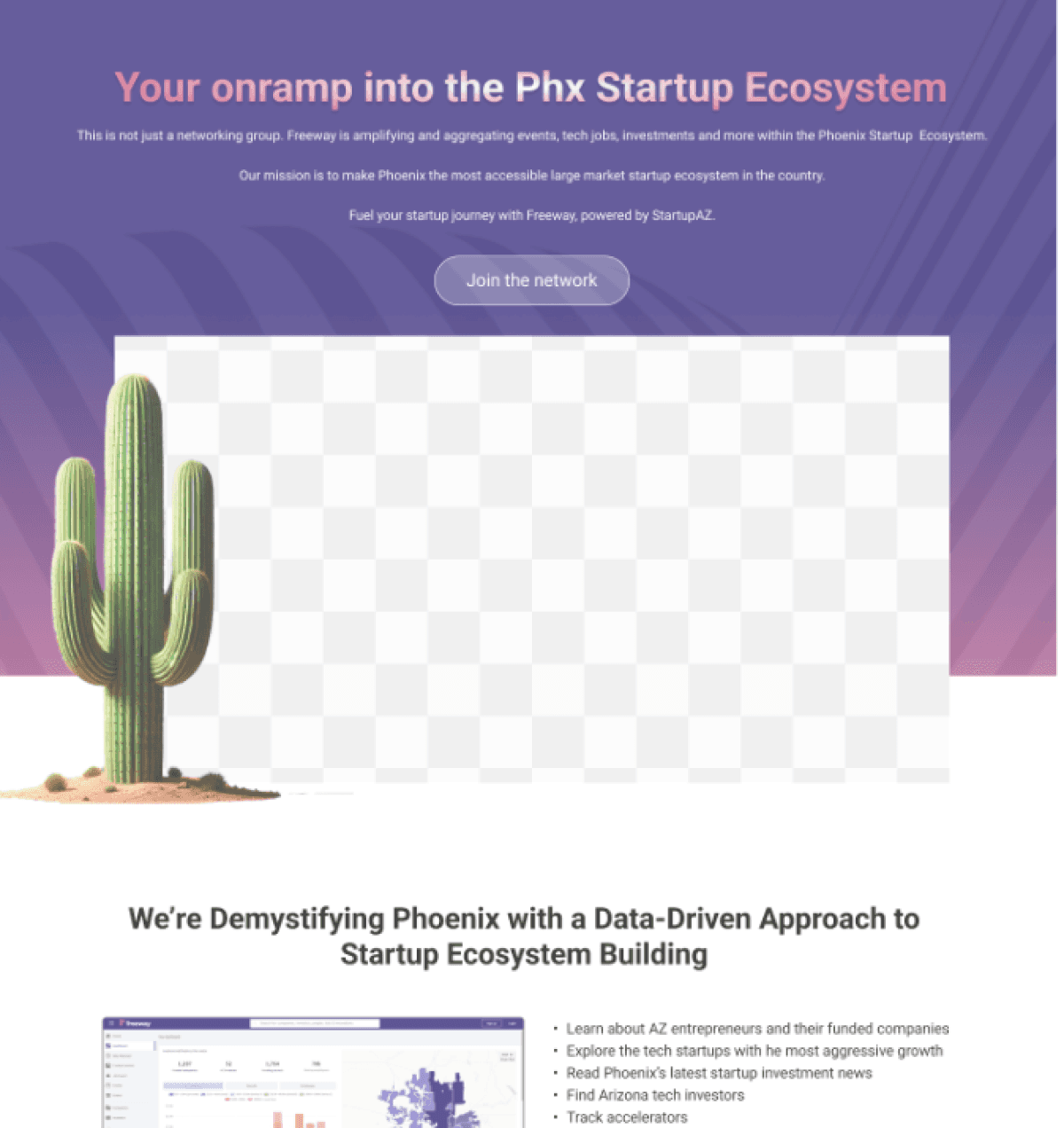
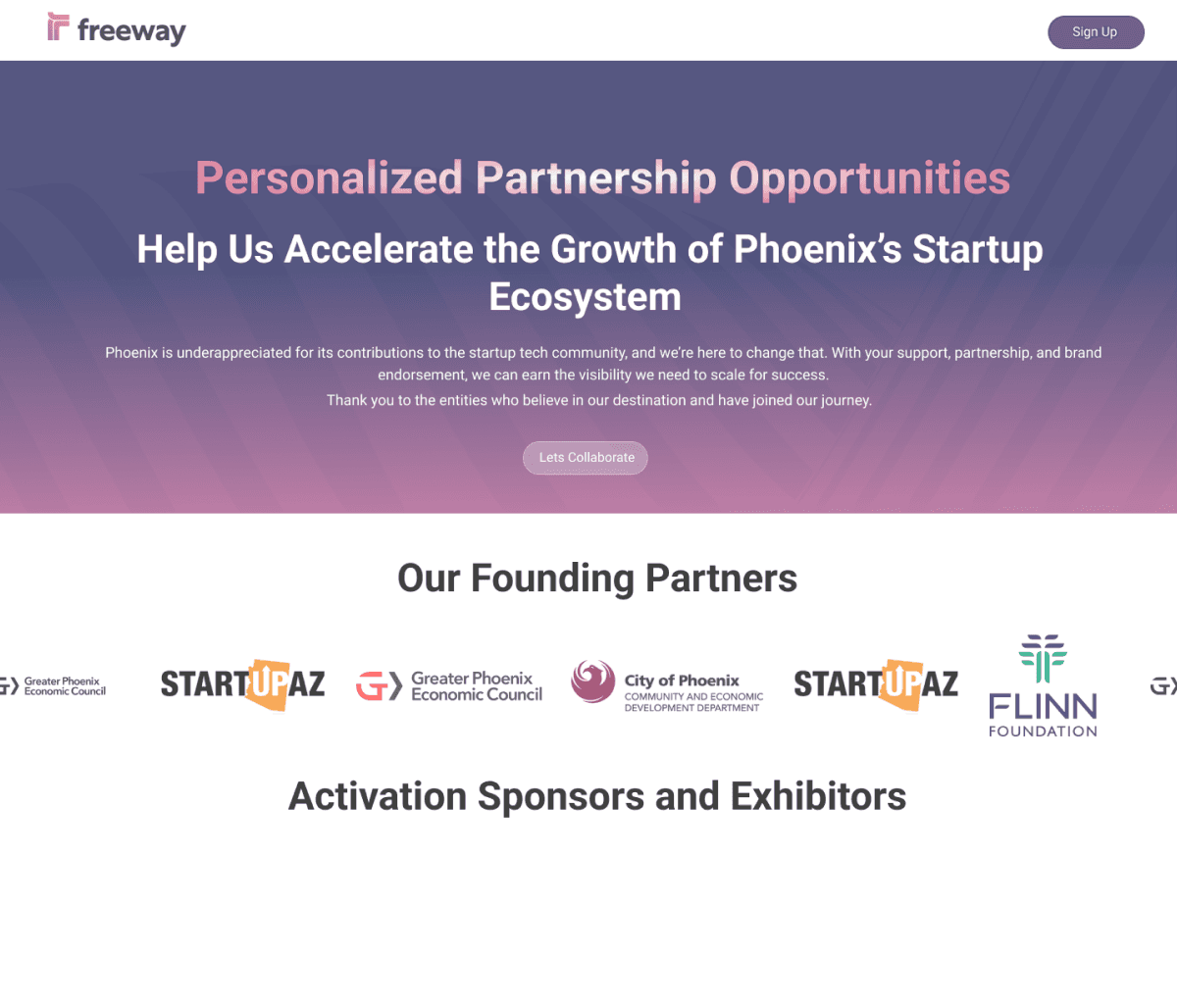
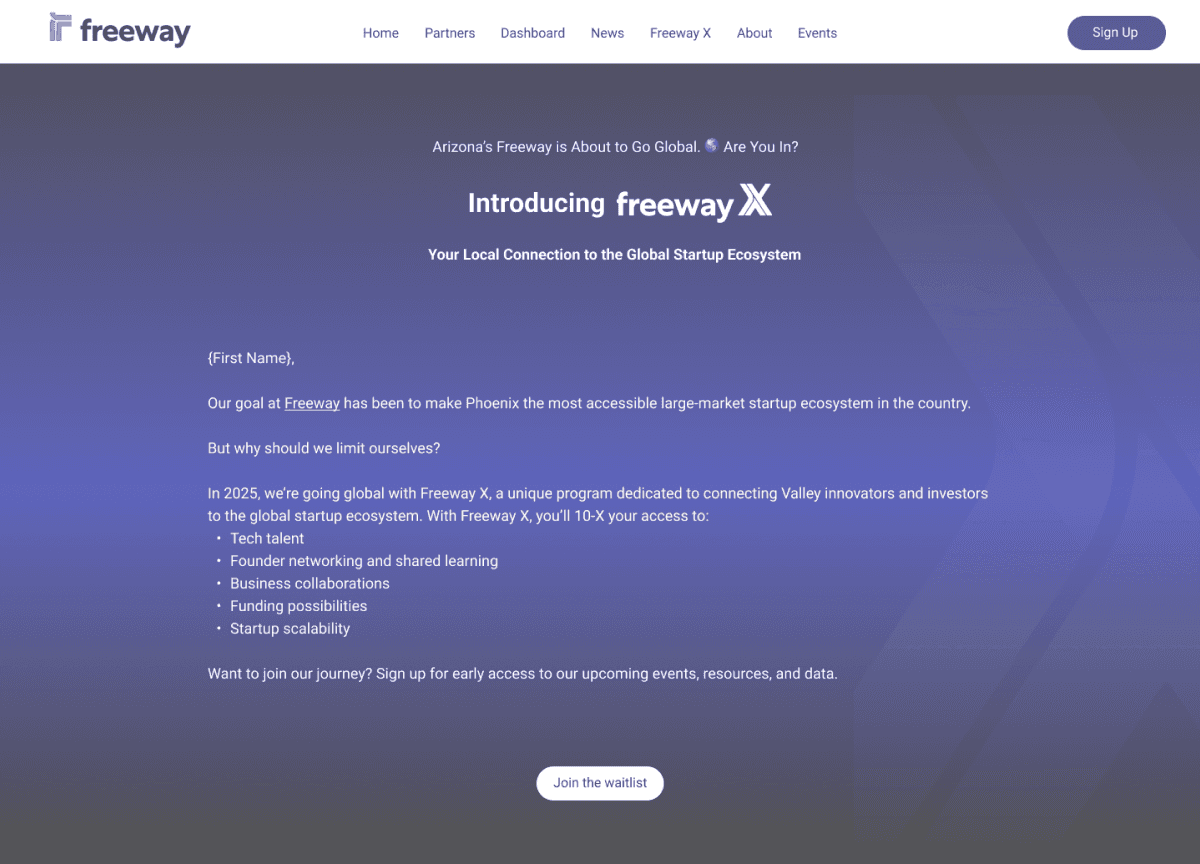
Glimpse of how we structured and managed content in accordance to freeway’s criteria.
Glimpse of how we structured and managed content in accordance to freeway’s criteria.
04/PAIN POINTS
Navigational Problems - This covers almost all the problems faces users. This was the roots cause to multiple problem.The website was overloaded with information, so instead of scattering content everywhere, it needed to focus on displaying only the most important details.
Distraction from unimportant information - This ties closely to the first point: the excess information, combined with the lack of a solid structure, leads to user distraction.
It was concluded that all pains points had two common roots which were above mentioned. Solving them with solve was necessary and was our main focus to solve.
Justifying design decisions
Root Issue: Users struggle due to an overloaded website and lack of clear navigation structure.
Implemented Clear Navigation Hierarchy:
Use a well-structured menu with clear categories and subcategories to guide users to the desired content effortlessly.
Prioritized Content:
Perform content audits to identify and prioritize key information, ensuring only relevant details are highlighted.
Interactive Breadcrumbs:
Add breadcrumbs to allow users to trace their navigation path and return to previous sections easily.
Search Functionality:
Provide an intuitive search bar with filters and suggestions to help users find what they need quickly.
Responsive Design:
Optimize navigation for all devices, ensuring mobile users can navigate as efficiently as desktop users.
Root Issue: Excessive information without structure overwhelms users, leading to distraction.
Adopted Minimalist Design Principles:
Use white space strategically and limit the number of visual elements per page to avoid overwhelming users.
Used Progressive Disclosure:
Display only the most critical information upfront and allow users to access more details as needed through "Read More" links or expandable sections.
Eliminated Clutter:
Remove or consolidate redundant or outdated content. Use concise copywriting to reduce unnecessary text.
Focused on User Goals:
Tailor content and layout to align with user needs, ensuring each page serves a clear purpose.
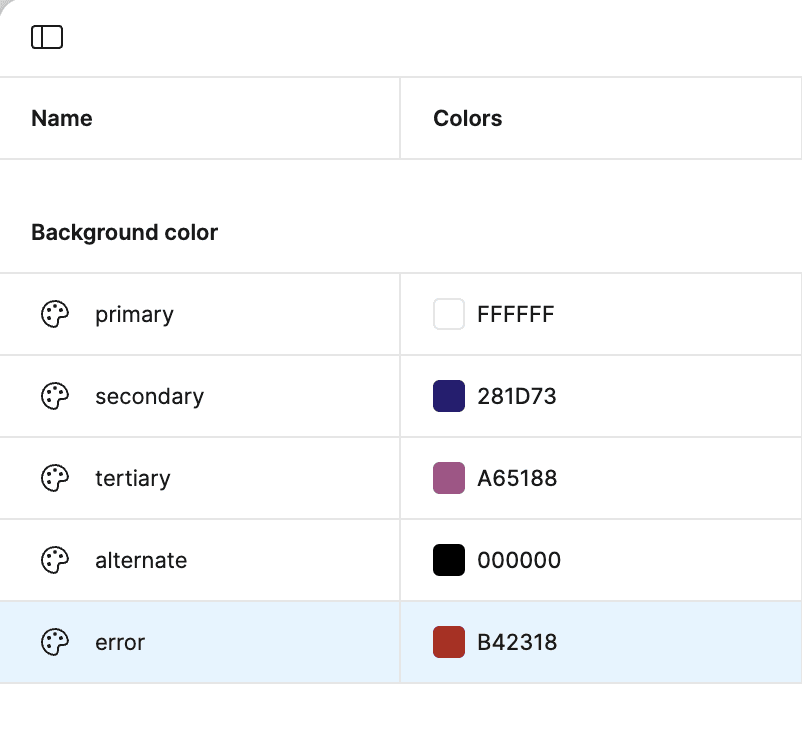
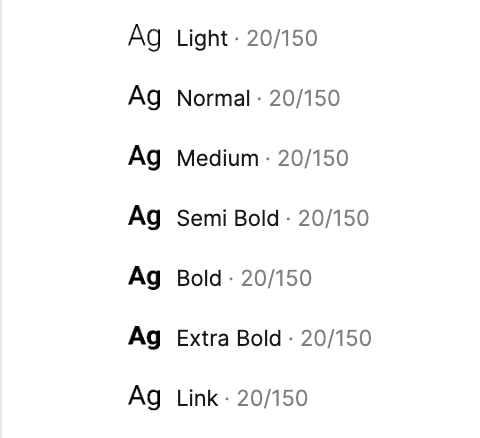
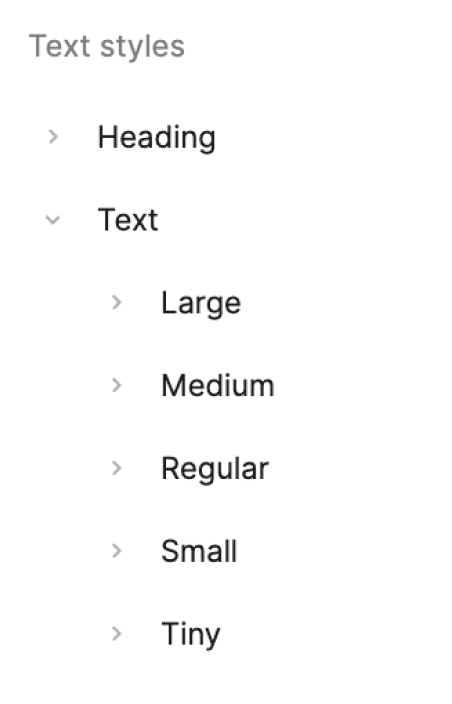
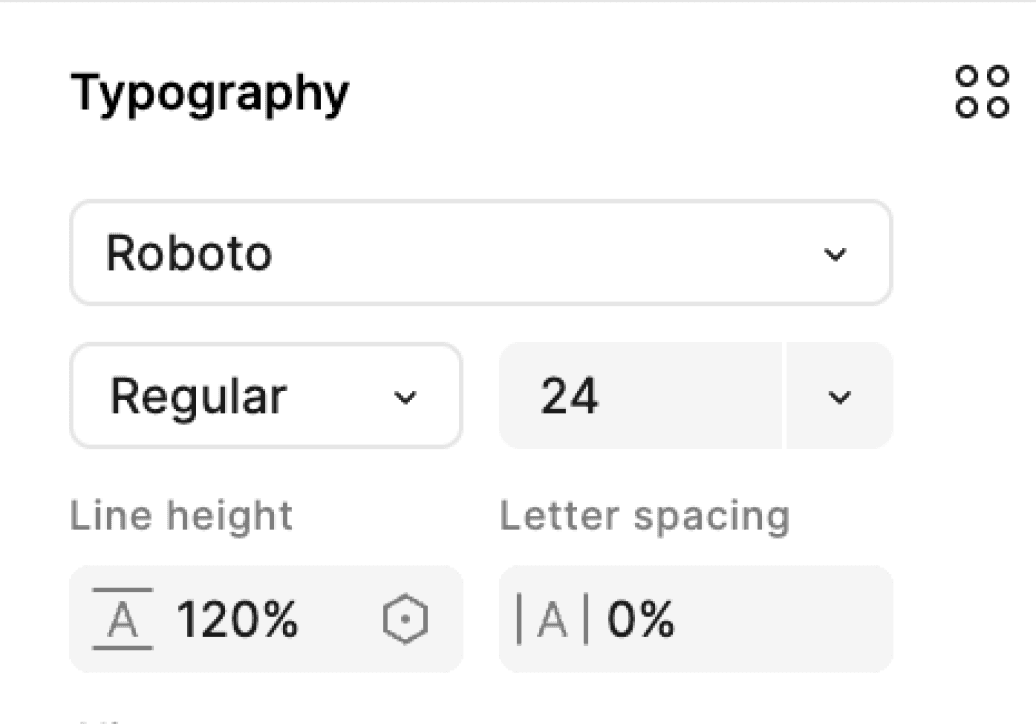
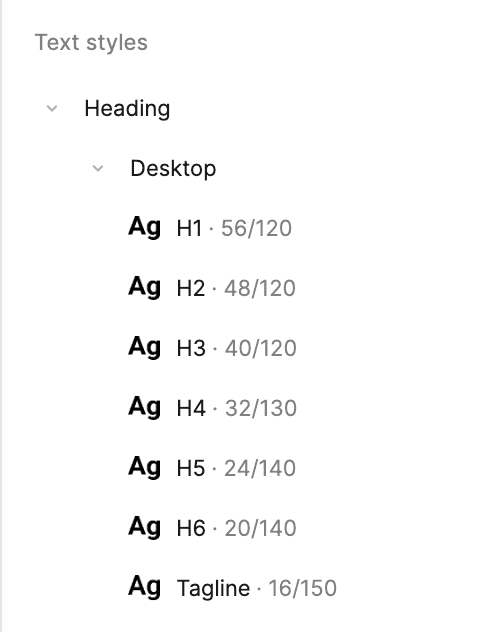
09/COLORS AND TYPOGRAPHY
10/Project Takeaways: Freeway PHX
1. Building Clear Structures: Working on Freeway PHX taught us the value of simplicity and organization. We focused on creating layouts that feel natural and easy to navigate, ensuring users could find what they need without feeling overwhelmed.
2. Refining Workflows: Developing workflows was a lesson in teamwork and efficiency. We learned how to break down tasks, communicate clearly, and collaborate seamlessly to bring our ideas to life. It showed us how small tweaks in processes can lead to big improvements in productivity.
3. Harnessing the Power of Color: Exploring color palettes was a creative journey. We experimented with combinations that not only looked great but also captured the energy and personality of the brand. It reminded us how much color can impact mood and perception.
4. Typography That Speaks: Choosing fonts was more than just picking what looks good; it was about finding the right voice for the brand. We aimed for typography that felt approachable and professional while ensuring everything was easy to read.
5. Learning Together: Perhaps the most rewarding part was the collaboration. Every brainstorming session and problem-solving discussion reminded us of the power of diverse perspectives and teamwork. We grew not just as designers but as a team, learning to adapt and support each other every step of the way.
This project wasn’t just about design—it was about connecting ideas, building a vision, and creating something meaningful together.
03/USER STORIES - Insights
Says
"Where’s the information I need?"
"Why do they have so many options that lead nowhere useful?"
"This website is so confusing and frustrating to use!"
Thinks
"Why is it so hard to find what I’m looking for?"
"I feel like I’m wasting time clicking through all these links."
"This website is just cluttered. I can’t make sense of it."
Does
Clicks around aimlessly, trying to locate relevant content.
Leaves the site without completing their goal.
Complains to others about their bad experience or seeks alternatives.
Feels
Overwhelmed by the sheer volume of information.
Frustrated that simple tasks take longer than expected.
Anxious and impatient because they can’t find answers quickly.